
AI Exam Prep: A Step-by-Step Plan That Actually Raises Your Grade
AI exam prep means using a study AI to turn your own notes, slides, and textbook chapters into practice tests, flashcards, and a study schedule — then quizzing yourself until the material sticks. The University of Florida’s library guide to studying and exam prep frames the approach the same way: AI works best as a review tool that reinforces key ideas and flags what still needs work, not as a replacement for doing the reading.
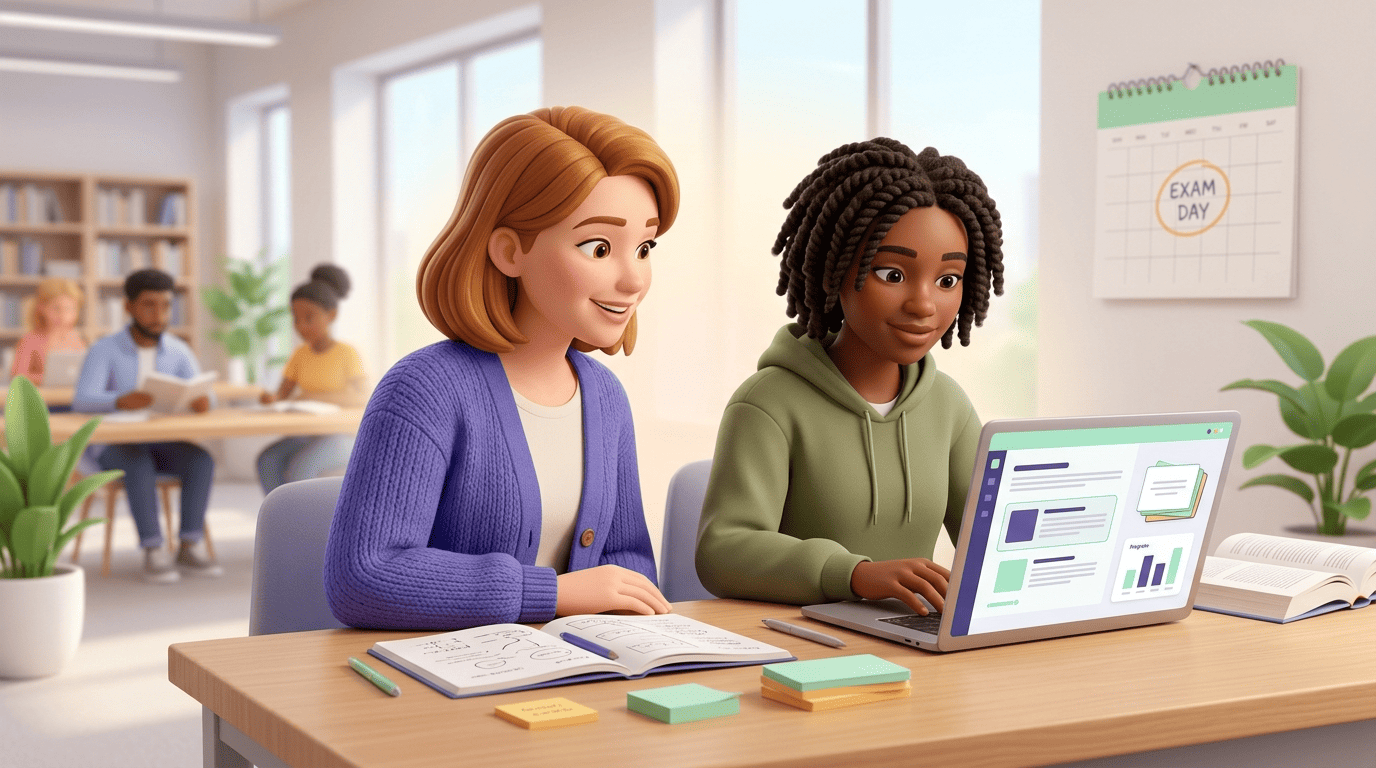
Done right, it’s not a shortcut around studying; it’s the fastest way to do the studying that research says actually works — active recall and spaced practice, minus the hours of manual flashcard-making. The rest of this guide walks through the exact workflow, why each step is backed by learning science, and where the honesty line sits.
What «AI Exam Prep» Really Means
An AI exam prep tool takes material you already have — lecture slides, a PDF chapter, your own messy notes, even a recorded lecture — and turns it into structured study assets: a clean summary, flashcards, practice quizzes, and sometimes a day-by-day schedule. Most tools in this category accept a wide range of inputs, so you rarely need to retype anything by hand before you start:
- PDF chapters and scanned textbook pages
- Slide decks (PowerPoint or Google Slides exports)
- Your own typed or handwritten notes
- Recorded lectures and podcasts (audio)
- Class recordings and YouTube video lectures
Feed it what you already have, not a rewritten version of it. Uploading your actual lecture notes or the professor’s slide deck keeps the practice questions tied to what will actually be tested, instead of generic material the AI pulled from nowhere.
Ask it to hold back the answers at first. A good AI study assistant can quiz you cold before showing explanations, which forces the retrieval step that makes studying stick rather than just feel productive.
Treat the summary as a map, not the destination. The point isn’t to read the answers; it’s to generate the questions. University of Florida’s library guide frames AI this way — a tool that reinforces key ideas and highlights what still needs work, not a stand-in for the learning itself.
The 4-Step AI Exam Prep Workflow
A workflow that shows up across university study guides breaks down into four passes over the same material, each one pushing you a little further from «I recognize this» toward «I can produce this from memory.»
- Condense. Turn the material into a summary and a short study guide so you know the scope before you start drilling — what’s core, what’s peripheral, what the exam is likely to weight heavily.
- Generate practice questions. Have the AI write practice questions with answers from that same material. This is the highest-value step in the whole sequence, because testing yourself beats re-reading by a wide margin.
- Go harder. Ask for more challenging questions and request explanations for anything you got wrong, closing the gaps one at a time instead of re-reading the whole chapter again.
- Teach it back. Explain each concept out loud in your own words, or have the AI quiz you live and push back on vague answers. If you can teach a concept clearly, you actually know it.
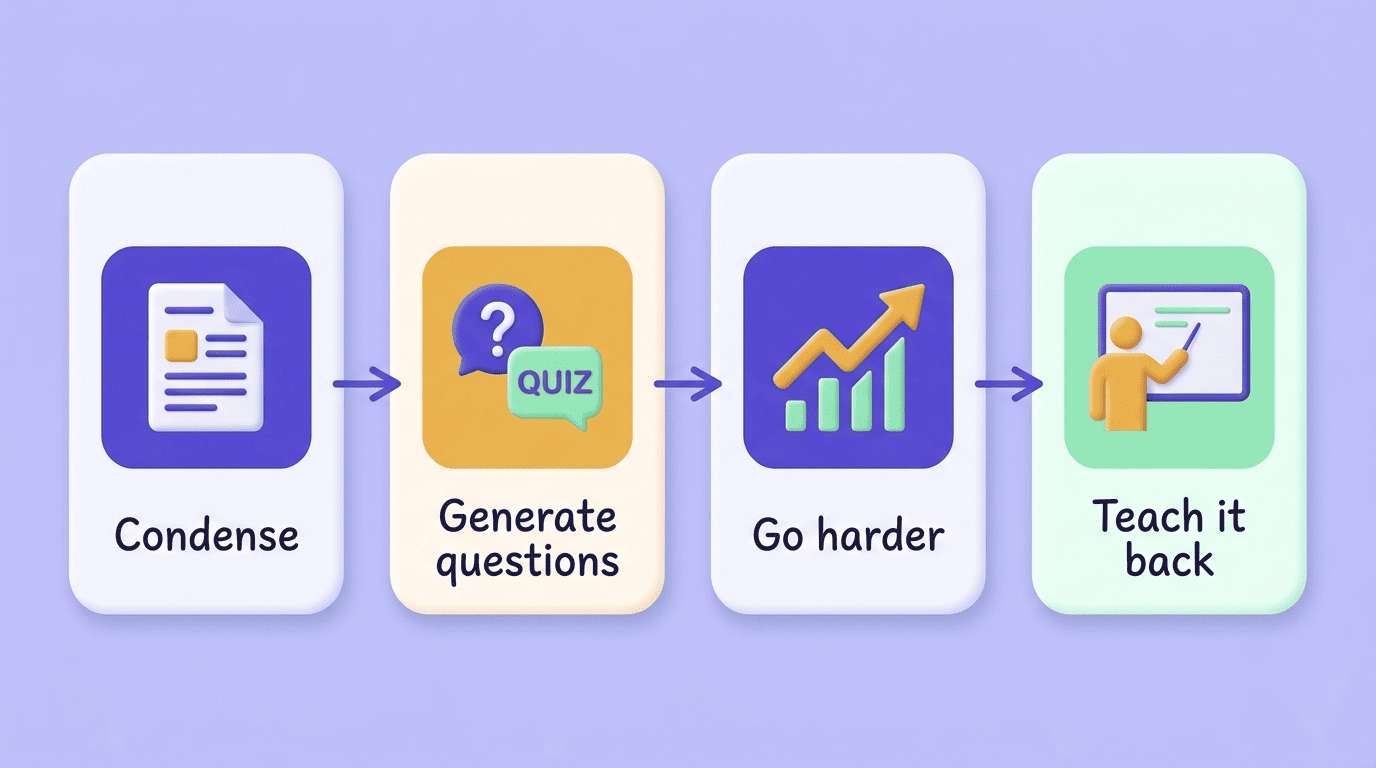
Working through these four steps in order, rather than jumping straight to flashcards, is what separates an AI study assistant that raises your score from one that just makes studying feel busier.
Practice Tests and Quizzes: The Highest-Leverage Move
Cognitive psychologists call this the testing effect: actively retrieving an answer from memory strengthens that memory far more than passively reviewing the same notes again. It’s one of the most consistently replicated findings in learning science, and it’s the single biggest reason practice testing outperforms re-reading, highlighting, or watching a lecture a second time.
An AI exam prep tool makes this almost frictionless. Instead of spending twenty minutes writing your own quiz questions by hand, you can generate an unlimited set from your own material in seconds — which means the barrier that used to stop most students from practice-testing at all simply disappears.
| Study method | What you actually do | Retention impact |
|---|---|---|
| Re-reading notes | Passively review the same text again | Low — feels productive, isn’t |
| Highlighting | Mark text as «important» while reading | Low — no retrieval involved |
| Practice testing | Answer questions without looking at notes | High — the testing effect |
| Teach it back | Explain the concept from memory, unprompted | High — forces full retrieval |
To get the most out of this step, tell the AI the exact format your exam will use and the difficulty level, so the practice mirrors the real test instead of drilling an easier version of it. Common formats worth specifying:
- Multiple choice, to match Scantron-style exams
- Short answer, for classes that grade on precise terminology
- Essay prompts, for courses that expect full written arguments
- Cumulative questions that mix old and new material, closer to a final exam
Flashcards and Spaced Repetition
Turning a chapter into a flashcard deck used to be the manual step that stopped most students from doing it at all — nobody wants to spend an evening typing out a hundred question-answer pairs. A study AI helper collapses that into seconds: upload the chapter, and the deck is ready to review.
Why spacing beats cramming
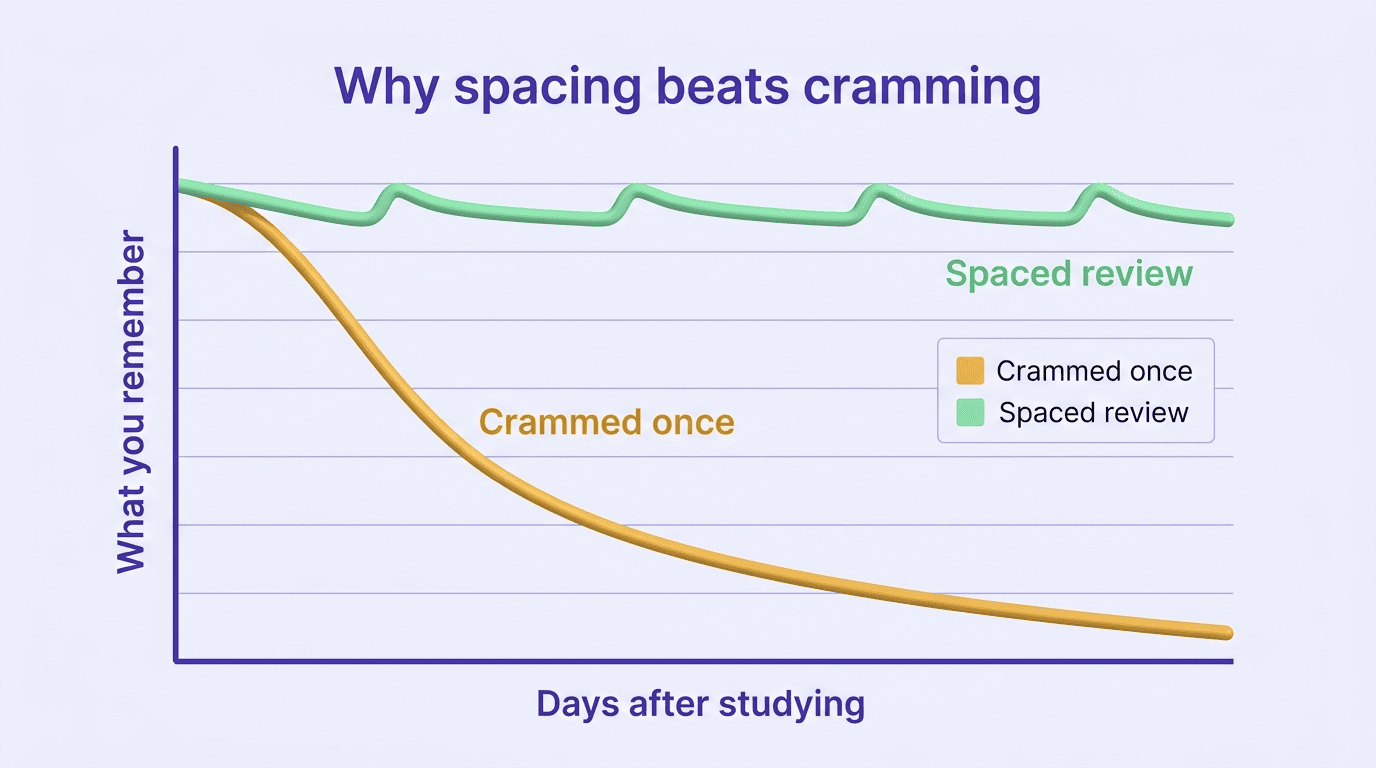
Spaced repetition means reviewing material at increasing intervals instead of all at once, which fights what’s known as the forgetting curve — the well-documented tendency for freshly learned information to fade quickly unless it’s revisited. Reviewing a card the day after you learn it, then a few days later, then a week later, keeps the memory from decaying as fast as it would with a single study session.
Let the weak spots resurface
Most spaced-repetition systems track which cards you keep getting wrong and bring those back more often, while cards you consistently nail get pushed further out. That’s a meaningful upgrade over a static stack of index cards, because your study time gets automatically redirected toward the concepts you actually need, instead of the ones you already know cold. In practice, a good deck:
- Regenerates cards automatically from new material you upload
- Tracks which cards you get wrong and resurfaces them sooner
- Pushes cards you consistently get right further into the future
- Lets you review in short sessions instead of one long sitting
Build a Study Schedule (Not an All-Nighter)
A day-by-day plan is only useful if it’s realistic about how much time you actually have, which is where an AI study assistant earns its keep — it can work backward from your exam date and spread topics across the days remaining instead of front-loading everything at once. Give it your exam date, your available hours per day, and the full list of topics the exam covers, and it can turn that into something close to this:
| Days before exam | Focus | Activity |
|---|---|---|
| 10–8 | Weakest topics first | Condense + generate practice questions |
| 7–5 | Middle-difficulty topics | Practice quizzes, teach it back |
| 4–3 | Full review day | Re-quiz missed cards from every topic |
| 2–1 | Weak spots only | Active recall on flagged cards, no new material |
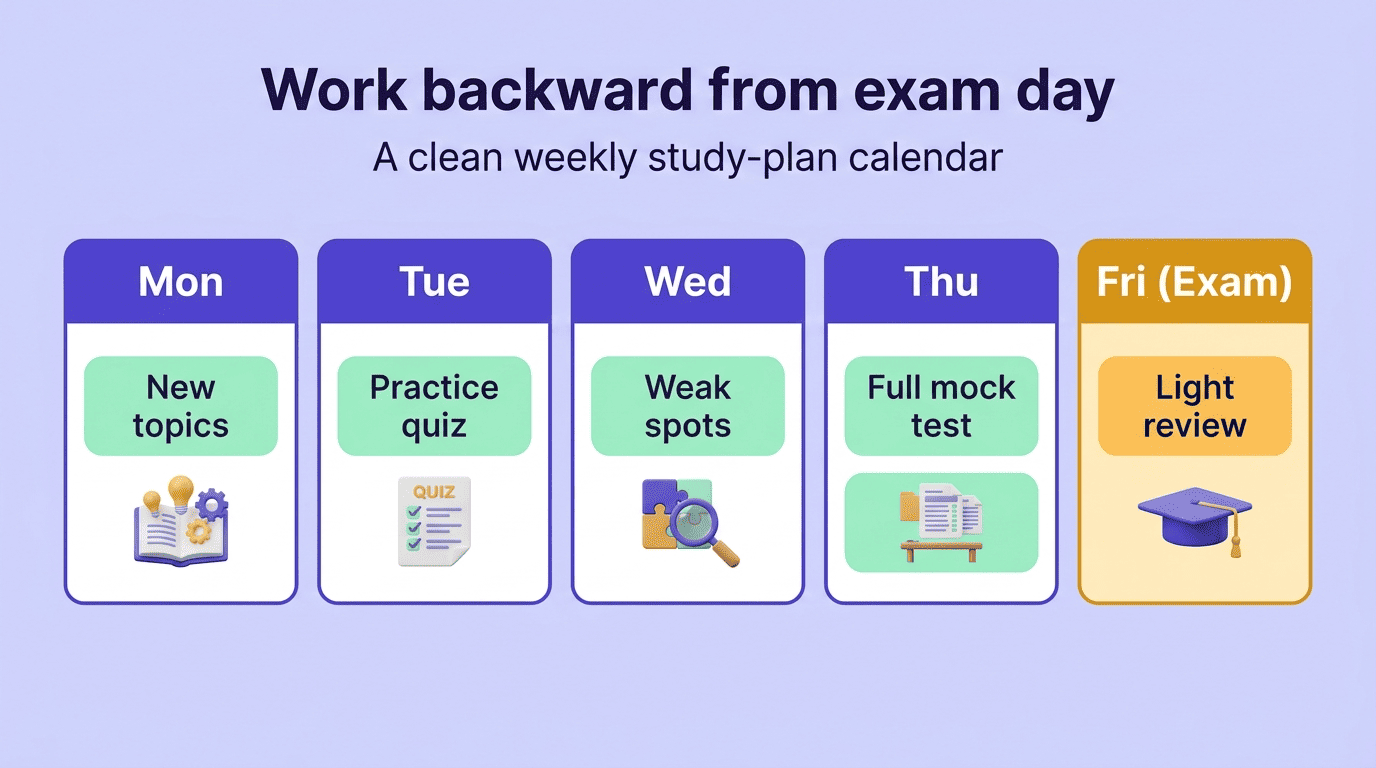
Following a schedule like this turns exam week into a series of short review sessions rather than one long cram, which lines up with what spaced repetition predicts about retention.
Study Honestly and Check the Facts
Everything above assumes one thing: you’re the one doing the learning, and the AI is just clearing the busywork out of the way. That distinction is worth spelling out plainly, because it’s easy to blur once the same tool can both help you study and, if misused, do the work for you. Most colleges now publish an explicit policy on where that line sits, and it’s worth reading before exam season rather than during it.
Academic integrity is a commitment, even in the face of adversity, to six fundamental values: honesty, trust, fairness, respect, responsibility, and courage.
International Center for Academic Integrity
That framing draws a clean line for AI exam prep. Using an AI study assistant to quiz yourself, generate flashcards, and check your understanding is studying — it’s the same active-recall habit students have always been told to build, just faster to set up. Turning in AI-generated answers on a graded assignment or take-home exam is a different act entirely, and most schools now spell out exactly where that line sits in a written AI policy. Check yours before you submit anything an AI helped write.
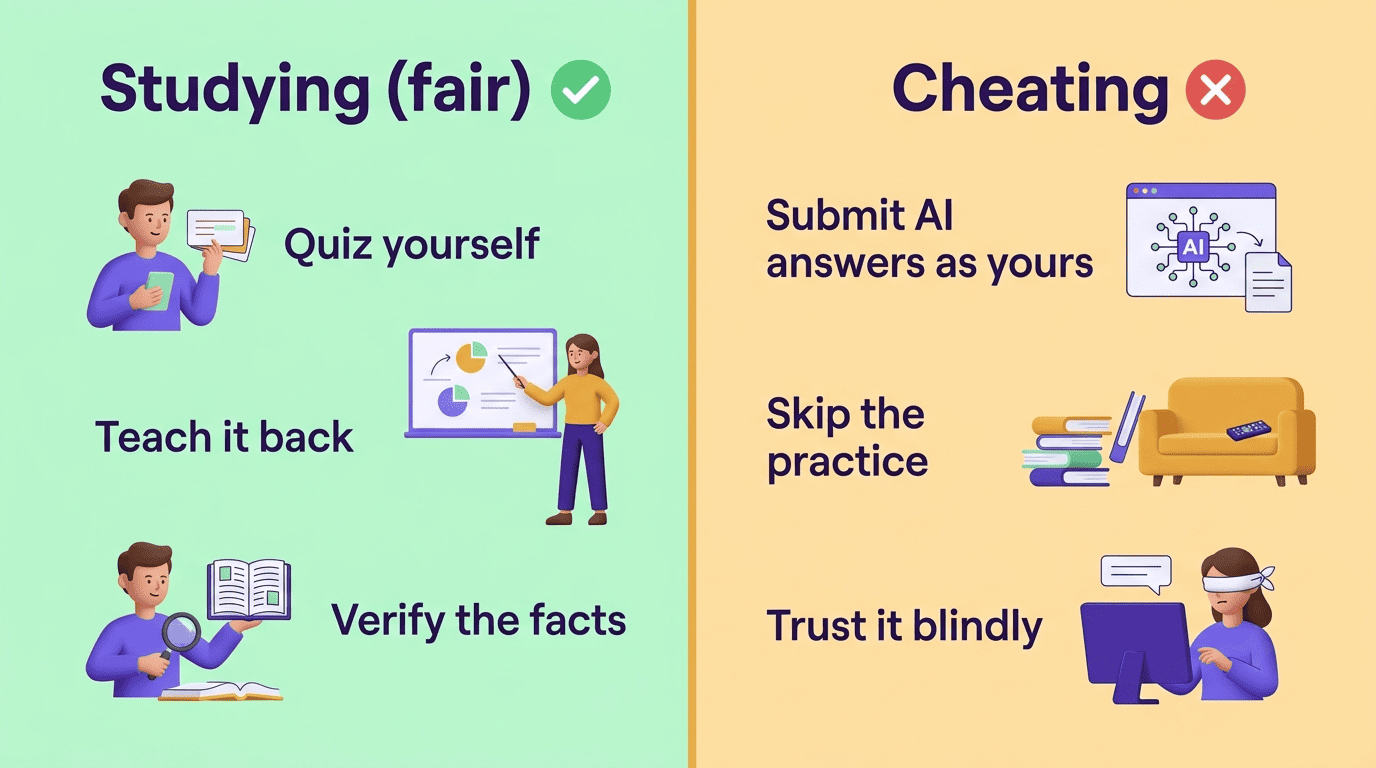
The second caution matters just as much: AI can be confidently wrong. Large language models occasionally state incorrect dates, formulas, or facts with the same tone they use for correct ones, so cross-check anything a study AI generates against your actual textbook or lecture notes. Double-check these categories especially closely:
- Numbers, percentages, and statistics
- Formulas and chemical or mathematical equations
- Historical dates and names
- Direct quotes attributed to a specific person or document