
AI Quiz Generator: Turn Your Notes Into Practice Tests That Make You Learn
An AI quiz generator is a study AI that turns your own notes, PDFs, or slides into a practice quiz in seconds — so you can test yourself instead of just re-reading. Education researchers have long documented that pulling an answer from memory strengthens long-term retention far more than passively reviewing the same material again — a finding known as the testing effect — which is exactly what these tools are built to exploit.
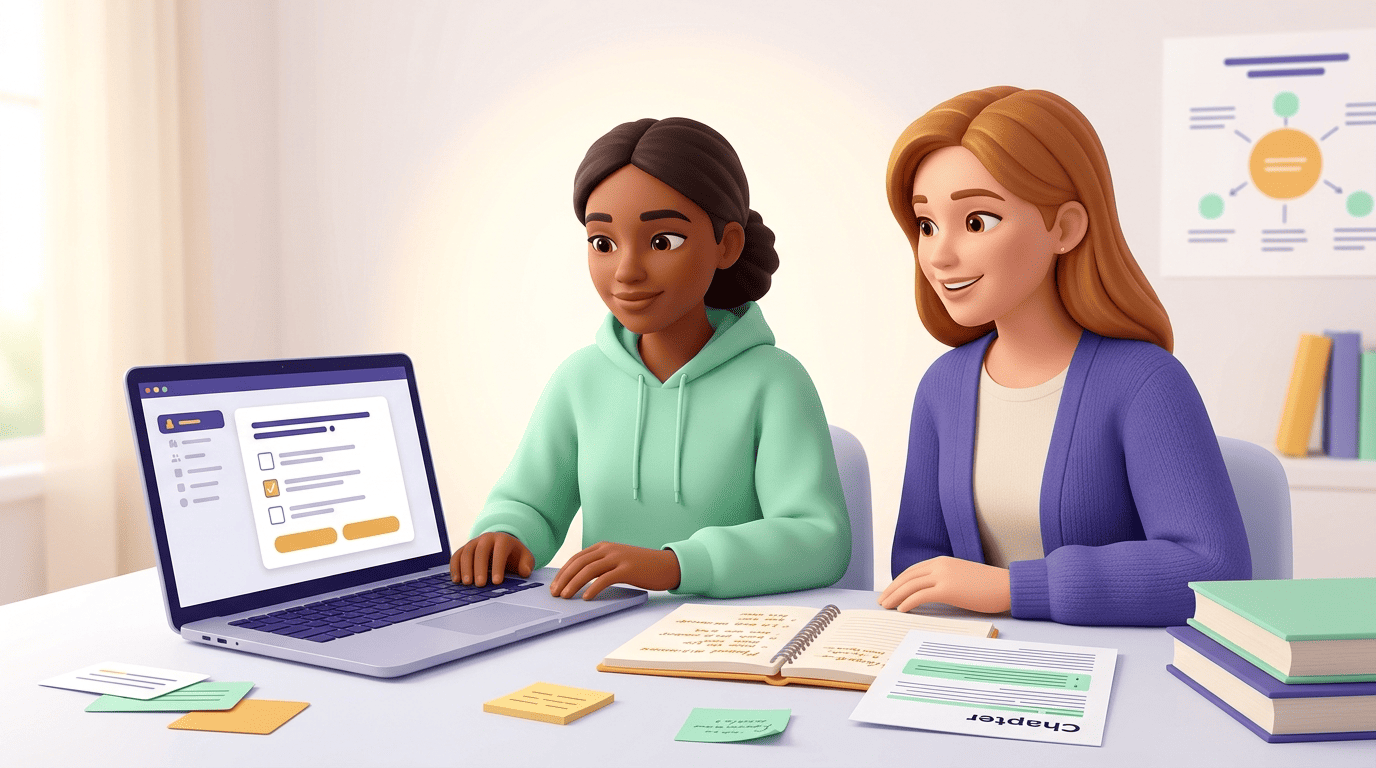
The trick isn’t generating a quiz; it’s using it the way learning science says works best — quizzing yourself to find what you don’t know yet, then closing the gap. Ada, the assistant behind this study AI app, can build that quiz straight from whatever you paste in, so you spend your study time answering questions instead of formatting flashcards.
What an AI Quiz Generator Is
From material to a self-test
An AI quiz generator (also called an AI quiz maker or AI test generator) takes content you already have — lecture notes, a PDF chapter, slides, even a YouTube lecture — and produces quiz questions with answers automatically. Frame it as a fast way to run formative assessment on yourself: low-stakes quizzes whose whole job is to reveal what you still need to study, not to grade you.
That distinction matters. A formative quiz has no stakes attached — nobody records the score, and a wrong answer just tells you where to focus next. Treating your practice quiz that way, instead of stressing over a «grade,» is what makes the tool useful rather than anxiety-inducing.
Why self-quizzing beats re-reading
The value is retrieval. Answering a question from memory strengthens learning far more than reviewing the same notes again — researchers call this the testing effect. Re-reading a chapter feels productive because the material looks familiar, but familiarity isn’t the same as being able to recall it cold on an exam. Pulling an answer out of memory, even imperfectly, does more for retention than a fourth pass through your highlighted notes.
A few things make an AI quiz generator well suited to this:
- It works from your exact material, not generic web content, so the questions match what’s actually on your syllabus.
- It can produce dozens of questions quickly, which supports repeated, spaced practice instead of a single review session.
- It typically gives instant feedback, so you find out what you missed while the material is still fresh.
- It can regenerate a fresh set of questions on the same topic, useful for a second or third round of practice.
How It Works: From Upload to Quiz
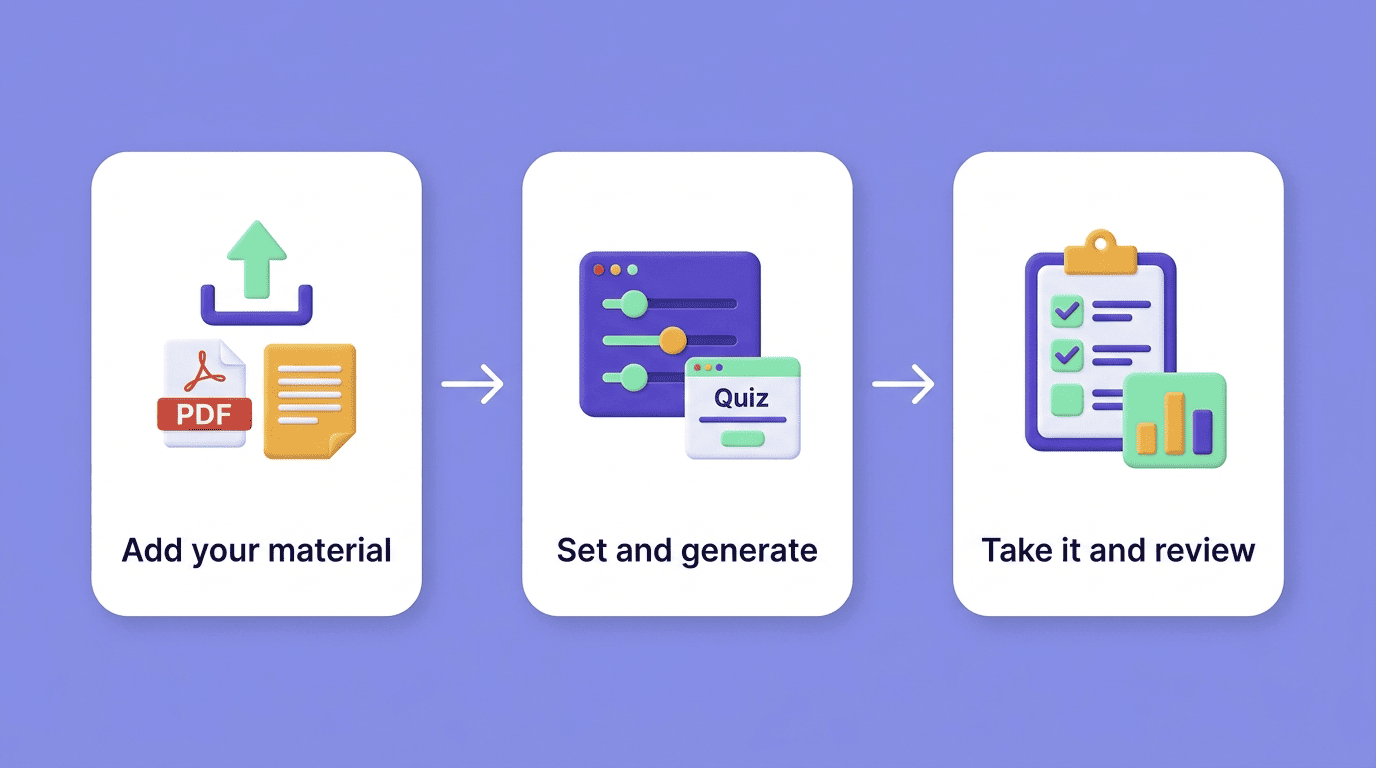
Walk through it: (1) upload or paste your material and pick settings — topic, number of questions, difficulty; (2) the AI generates the quiz and you take it; (3) you get feedback and insights showing which topics to revisit. Note real limits: inputs like PDF, PowerPoint, Word, images, plain text, and YouTube links, with file caps that vary by tool (roughly 10-50MB) and, in some tools, support for 30+ languages.
| Step | What you do | What the AI does |
|---|---|---|
| 1. Provide material | Upload a PDF/slides or paste notes/a link | Reads and parses the content |
| 2. Set parameters | Pick topic focus, question count, difficulty | Builds a question bank matched to your input |
| 3. Take the quiz | Answer each question | Scores responses, flags weak topics |
| 4. Review feedback | Re-study flagged areas | Generates a fresh quiz for round two |
Most tools accept a similar range of inputs, though exact limits vary:
- PDF chapters and scanned documents (usually under a size cap around 10-50MB)
- PowerPoint slides and Word documents
- Plain text or pasted notes
- YouTube lecture links, transcribed automatically
Make a quiz from a PDF or your notes
The most common use case: drop in a PDF chapter or your own notes and get a quiz tied to exactly what you’re studying, not generic web content pulled from a textbook you don’t own. This is what makes an AI quiz generator different from a static question bank — the quiz is only as good as the material you feed it, so a clean, complete set of notes produces sharper questions than a scanned page with missing paragraphs.
Question Types and How to Get Good Ones
Good self-testing depends on question variety as much as it does on the source material.
The main question types
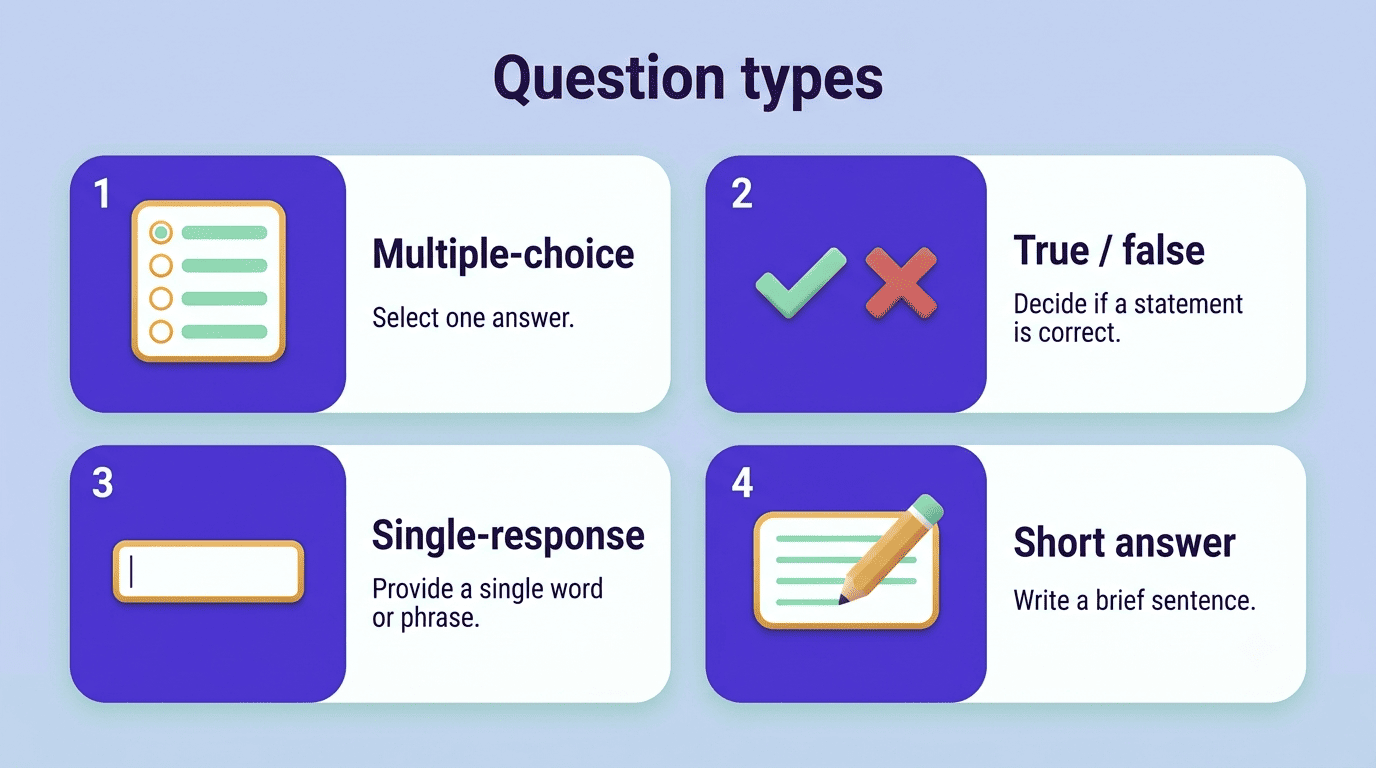
Cover multiple-choice questions (MCQ), true/false, single-response, and short-answer or open-ended items — and what each is good for. MCQs are fast to answer and good for covering a lot of ground in one sitting, which makes them useful for a first pass over a whole chapter. True/false checks are even quicker but easier to guess correctly by chance. Short-answer questions take longer to write and grade yourself against, but they force actual recall instead of recognition, which is closer to what an essay exam or oral quiz demands.
| Question type | Best for |
|---|---|
| Multiple-choice (MCQ) | Fast coverage of a whole chapter; good for a first pass |
| True/false | Quick checks, but easiest to guess correctly by chance |
| Single-response | Narrowing down one specific fact or term |
| Short-answer / open-ended | Forcing real recall instead of recognition |
Prompt for better questions
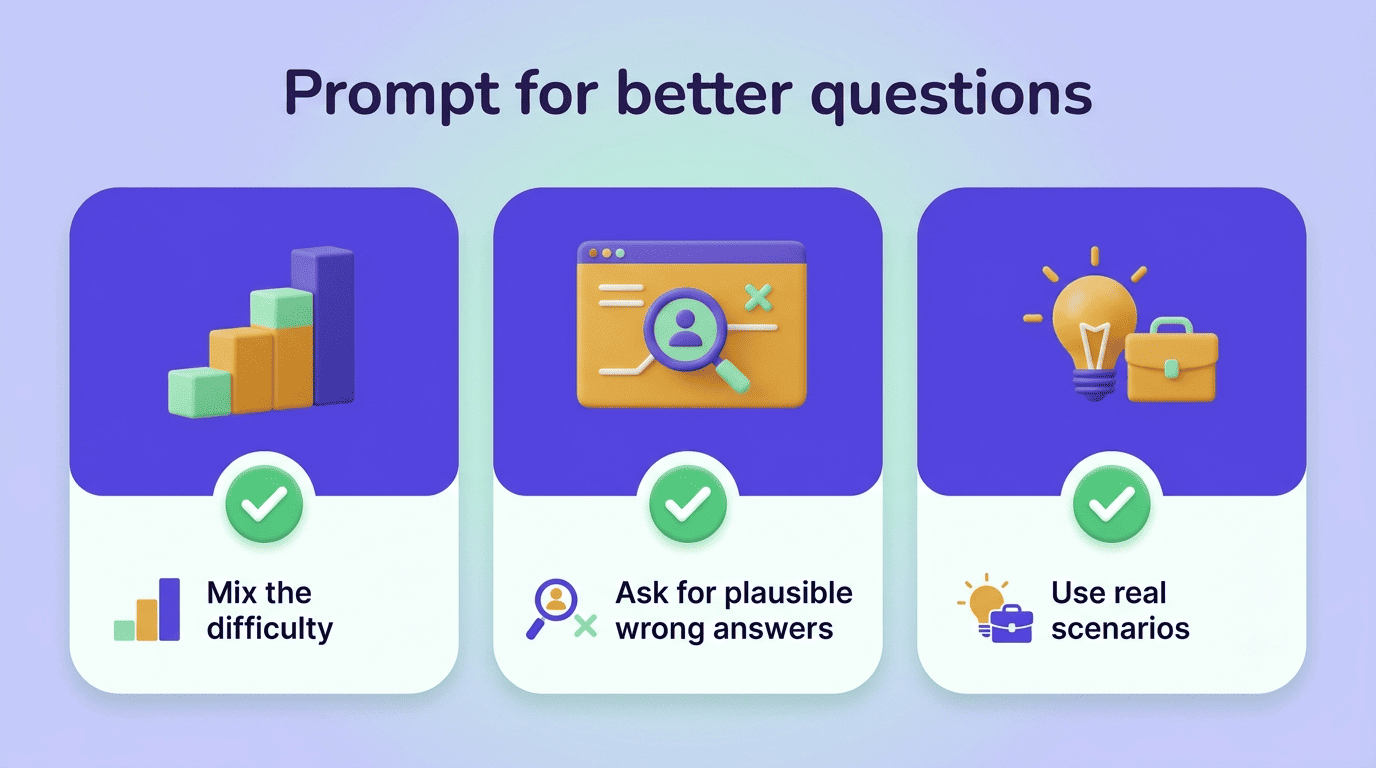
Ask for a mix of difficulty levels. Map this request to Bloom’s Taxonomy: some questions should test simple recall (define a term), others should require you to apply a concept to a new example, and a few should push you to analyze or compare ideas. A quiz made entirely of recall questions will make you feel ready for an exam that actually tests application.
Request plausible wrong answers. In multiple-choice items, the incorrect options are called distractors, and their quality decides how hard the question really is. An obviously wrong distractor lets you guess the right answer without knowing the material; a plausible one — close to correct but wrong for a specific, checkable reason — forces you to actually reason it out.
Ask for scenario-based questions. A question framed around a short situation («a patient presents with…», «a company’s revenue drops after…») tests whether you can use a concept, not just recite its definition. This is closer to how most exams — and certainly most real-world problems — actually assess you.
Use AI for studying this way, and the quiz becomes a diagnostic tool rather than busywork: it tells you precisely which idea you haven’t internalized yet, instead of just confirming you skimmed the chapter.
Study Smarter: Feedback, Insights, and Spaced Practice
Use the feedback, don’t just see the score
The insights matter more than the grade: a good AI quiz generator doesn’t just tell you «7/10» — it shows which topics you missed, so you know exactly what to re-study instead of rereading the whole chapter again. Re-generate questions on those weak spots specifically, and space the reviews over several days rather than cramming them into one sitting. That spacing, combined with retrieval practice, is what compounds the benefit of self-quizzing over time.
A simple study loop to follow after each quiz:
- Take the quiz cold, without checking your notes first.
- Review every missed question and find the correct answer in your source material.
- Note which 2-3 topics accounted for most of your misses.
- Regenerate a short quiz focused only on those topics.
- Wait a day or two, then retake a mixed quiz covering the whole chapter.
- Repeat until misses on that material drop close to zero.
That loop is the actual mechanism behind the testing effect — it’s not the act of generating a quiz that helps you learn, it’s the repeated cycle of recall, feedback, and targeted review.
Quiz Yourself Honestly and Check the Answers
Studying vs. shortcutting
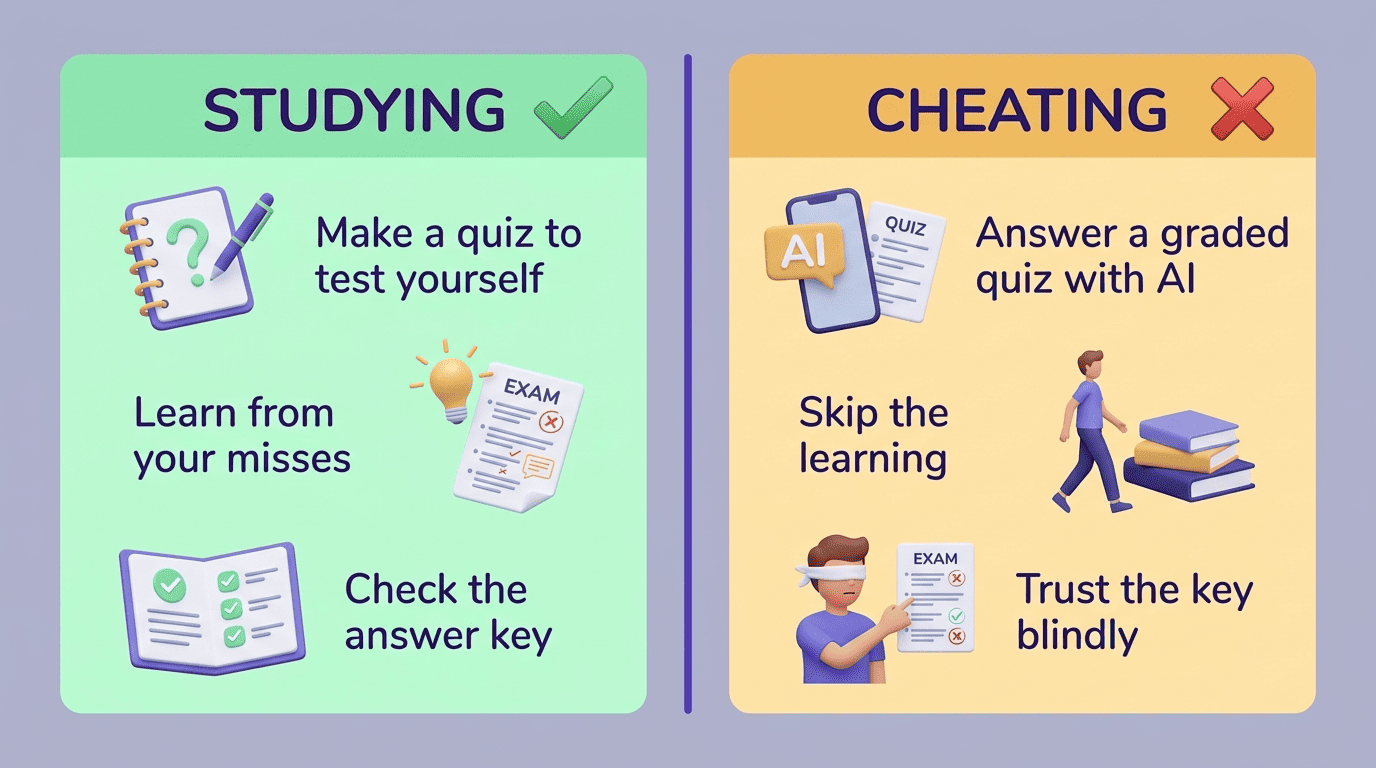
Generating a quiz to test yourself on material you’ve already studied is exactly what formative self-assessment is for — it’s studying, plain and simple. Using AI to get answers to a graded quiz or exam you’re supposed to complete on your own knowledge is a different thing entirely: that’s academic dishonesty, and it can carry real consequences. The International Center for Academic Integrity defines academic integrity as a commitment to six core values — honesty, trust, fairness, respect, responsibility, and courage — and using an unauthorized tool to produce answers on assessed work runs against several of them at once. Always follow your instructor’s specific policy on AI tools — some allow AI-assisted practice and simply forbid AI on graded work, and it’s worth knowing exactly where that line sits in your class.
Academic integrity is a commitment, even in the face of adversity, to six fundamental values: honesty, trust, fairness, respect, responsibility, and courage.
International Center for Academic Integrity, Fundamental Values of Academic Integrity
Verify the answer key
AI sometimes marks a right answer wrong, misreads a number from your notes, or invents a fact that sounds plausible but isn’t in your source material. Spot-check the generated answer key against your textbook or lecture slides before you trust it. Pay closest attention to:
- Numbers, dates, and formulas — the details AI is most likely to swap or round incorrectly.
- Names and specific terminology — easy to blur with a similar-sounding concept.
- Anything the quiz marks wrong that you’re confident you got right — check the key itself before you assume you’re mistaken.
- Questions that feel oddly specific or unfamiliar — a sign the AI may have pulled in outside information instead of sticking to your material.
This is a routine part of using any AI for studying responsibly, not a sign the tool is broken — treat the quiz as a first draft you verify, not a final authority.