
AI Flashcard Maker: Turn Your Notes Into Cards That Actually Stick
An AI flashcard maker turns your notes, slides, or a PDF into a ready-to-study deck of question-and-answer cards in seconds — a task that used to eat an evening of cutting and pasting. Paired with a study AI that can also explain the answer on each card instead of just quizzing you on it, the tool doubles as a tutor and a card-maker at once. A flashcard itself is nothing new: according to Wikipedia, it’s simply a card with a prompt on one side and the answer on the other, a study format that predates computers by more than a century.
The reason flashcards work isn’t the app — it’s two learning principles they quietly force you into: active recall and spaced repetition. Used the right way, they help you learn material yourself; used the wrong way — feeding an AI your reading and copying its answers straight into an assignment — that’s not studying, it’s cheating with extra steps. A good AI flashcard maker should help you memorize the material, not do the thinking for you.
What Is an AI Flashcard Maker?
An AI flashcard maker is software that reads your study material and turns it into a deck of flashcards — a question on one side, the answer on the other — without you typing each card by hand. You feed it whatever you’re already working with: a PDF chapter, a slide deck, typed or handwritten notes, a photo of a whiteboard, even a YouTube lecture. In return, you get a full deck, often 20 to 50 cards, generated in under a minute instead of the hour it takes to write the same set by hand.
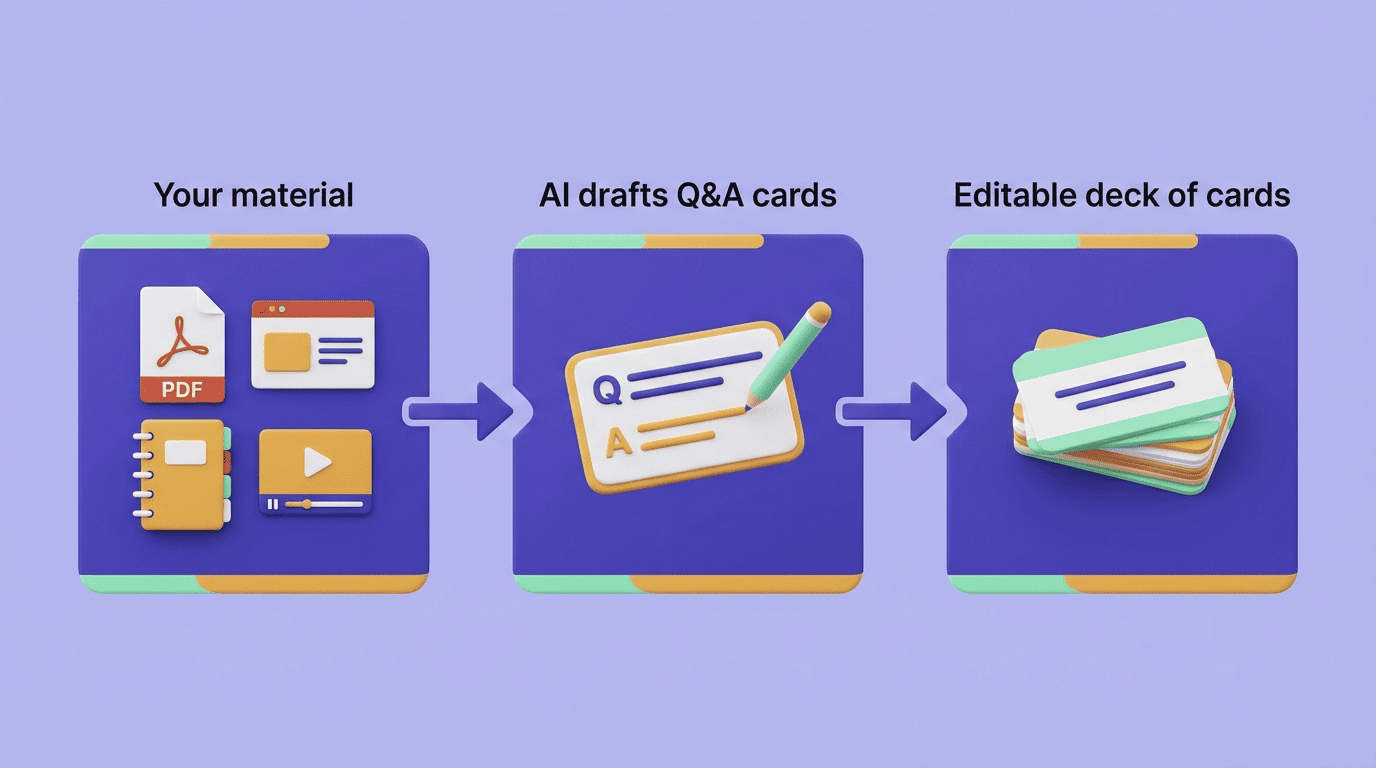
Different products call the same idea different things — flashcard generator, card maker, AI flashcards — but the mechanics stay consistent: pull the key terms and relationships out of the source material, phrase each one as a question-and-answer or fill-in-the-blank pair, and hand you an editable deck you can trim, reorder, or add to before you start studying.
How an AI Flashcard Maker Works
The process behind an AI flashcard generator is short by design — most tools compress it into three visible steps, even though a fair amount of text analysis happens in between.
From source to deck
You upload the material, the AI scans it for key terms and concepts and drafts question-and-answer pairs for each one, and you’re left with a deck ready to review and study. Most tools let you tune the output before or after generation:
- Number of cards to generate per upload
- Difficulty level of the questions
- Output language, useful if your source material and target language don’t match
- Card format — plain Q&A, cloze deletion, or a mix
Here’s the same flow broken into concrete steps:
- Upload your source — drop in a PDF, slide deck, Word file, or set of notes.
- Let the AI scan it — it identifies key terms, definitions, and relationships in the text.
- Review the draft cards — skim the generated questions and answers for accuracy.
- Trim and rewrite — delete duplicates, tighten vague wording, split any card that’s really testing two ideas at once.
- Set your study settings — pick card count, difficulty, and language if the tool offers them.
- Start reviewing — run the deck through active recall and let spaced repetition schedule your next pass.
What you can feed it
Most AI flashcard makers accept more than plain text:
- PDF chapters and textbook excerpts
- Slide decks (PowerPoint or similar)
- Word documents and typed notes
- Photos of handwritten notes or a whiteboard
- Audio or video, including recorded lectures
Free plans usually cap what you can upload at once — a common limit is around five pages or 25,000 characters per file — which is why it’s often faster to split a long chapter into two or three uploads rather than feed the whole thing in at once.
Why Flashcards Work: The Science
Flashcards aren’t just a convenient format — they’re a delivery mechanism for two of the most heavily studied principles in learning research, and an AI flashcard maker doesn’t change either one; it just removes the busywork of writing the cards.
Active recall
A flashcard forces you to pull the answer out of memory before you check it, rather than rereading the material and recognizing it as familiar. That retrieval effort is what psychologists call the testing effect: the act of recalling something strengthens the memory more than passively reviewing it does, according to Wikipedia’s entry on the testing effect. This is also why flipping a card too quickly, before genuinely attempting an answer, undercuts most of the benefit.
Spaced repetition
A card you already know cold doesn’t need to reappear tomorrow, and a card you keep missing shouldn’t wait a week. Spaced repetition schedules each card to resurface right around the point you’re likely to start forgetting it, with the interval growing every time you get it right. Good flashcard apps automate this scheduling instead of leaving you to guess when to review.
The Leitner system
The mechanical version of spaced repetition predates software by decades. Psychologist Sebastian Leitner developed the Leitner system in the 1970s: physical boxes holding cards, where a correct answer moves a card to a box reviewed less often and a wrong answer sends it back to the box reviewed daily. Most modern scheduling algorithms, including the FSRS algorithm used by newer apps, are direct descendants of that same box-and-interval idea.
Left to itself every mental content gradually loses its capacity for being revived, or at least suffers loss in this regard under the influence of time.
Hermann Ebbinghaus, Memory: A Contribution to Experimental Psychology (1885)
Ebbinghaus’s forgetting curve, published more than a century before any of this software existed, is the reason spaced review works at all: forgetting is fastest right after you learn something, so that’s exactly when a well-timed second look does the most good.
Types of AI-Generated Cards
Not every fact fits the same card format, and a decent AI flashcard maker will mix formats depending on what it’s pulling from the source.
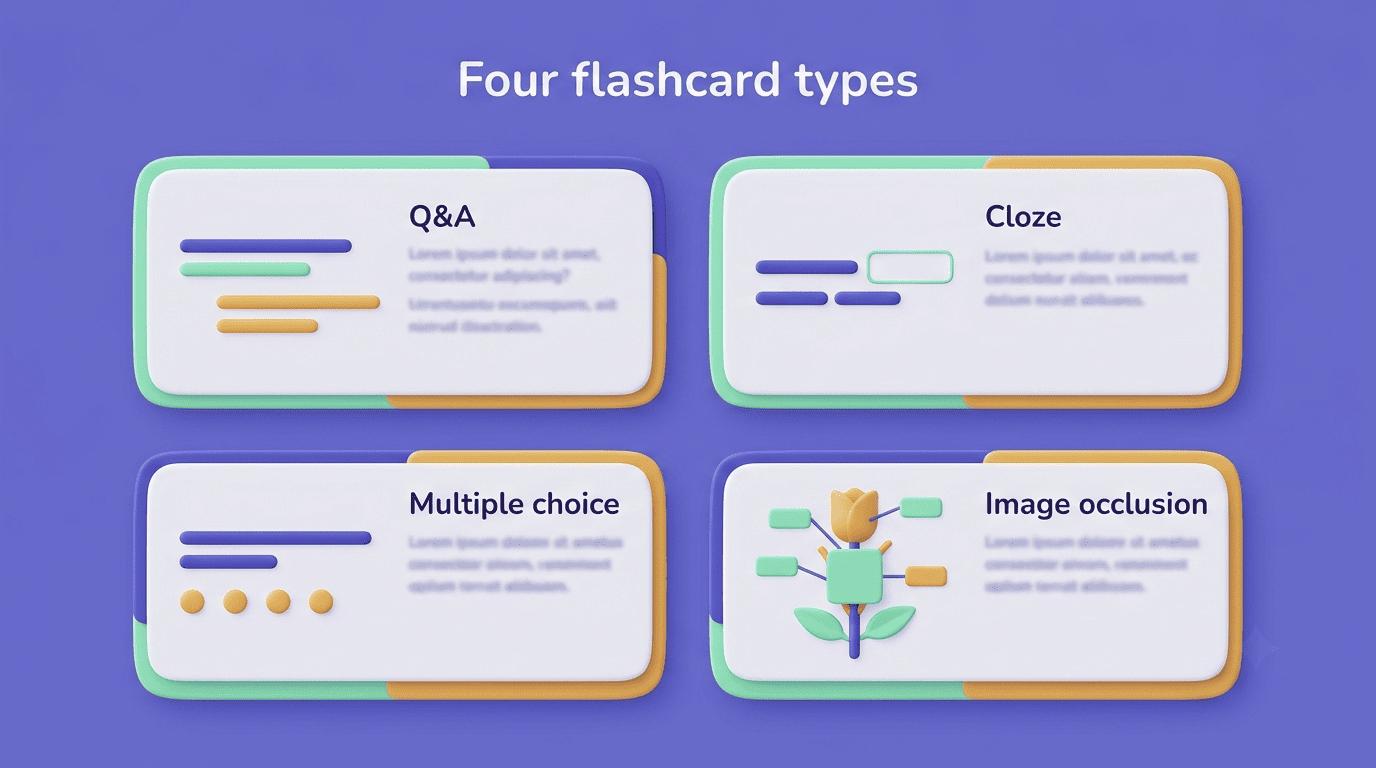
Question-and-answer cards handle the basics — a direct question on the front, a direct answer on the back. This is the default format and works for definitions, dates, and simple facts.
Cloze deletion cards blank out a word or phrase inside a full sentence instead of asking a separate question. They’re well suited to vocabulary, formulas, and any fact that’s easier to recall in its original context than as an isolated Q&A pair.
Multiple-choice cards show several possible answers and ask you to pick the right one. They’re faster to answer than open-recall cards, which makes them useful for quick review passes but a weaker workout for memory than genuinely producing the answer yourself.
Image occlusion cards hide part of a diagram, map, or chart and ask you to identify the covered label. They’re the standard format for anatomy diagrams, geography, and anything where the visual layout is part of what you need to remember.
| Card type | Best for | Example |
|---|---|---|
| Question-and-answer | Definitions, dates, discrete facts | «What year did the Leitner system appear?» → «1970s» |
| Cloze deletion | Vocabulary, formulas, sentence-context facts | «The mitochondria is the _ of the cell.» → «powerhouse» |
| Multiple choice | Fast review, recognition practice | Pick the correct definition from four options |
| Image occlusion | Diagrams, maps, anatomy, charts | Label a hidden part of a labeled diagram |
How to Make Flashcards That Actually Help You Learn
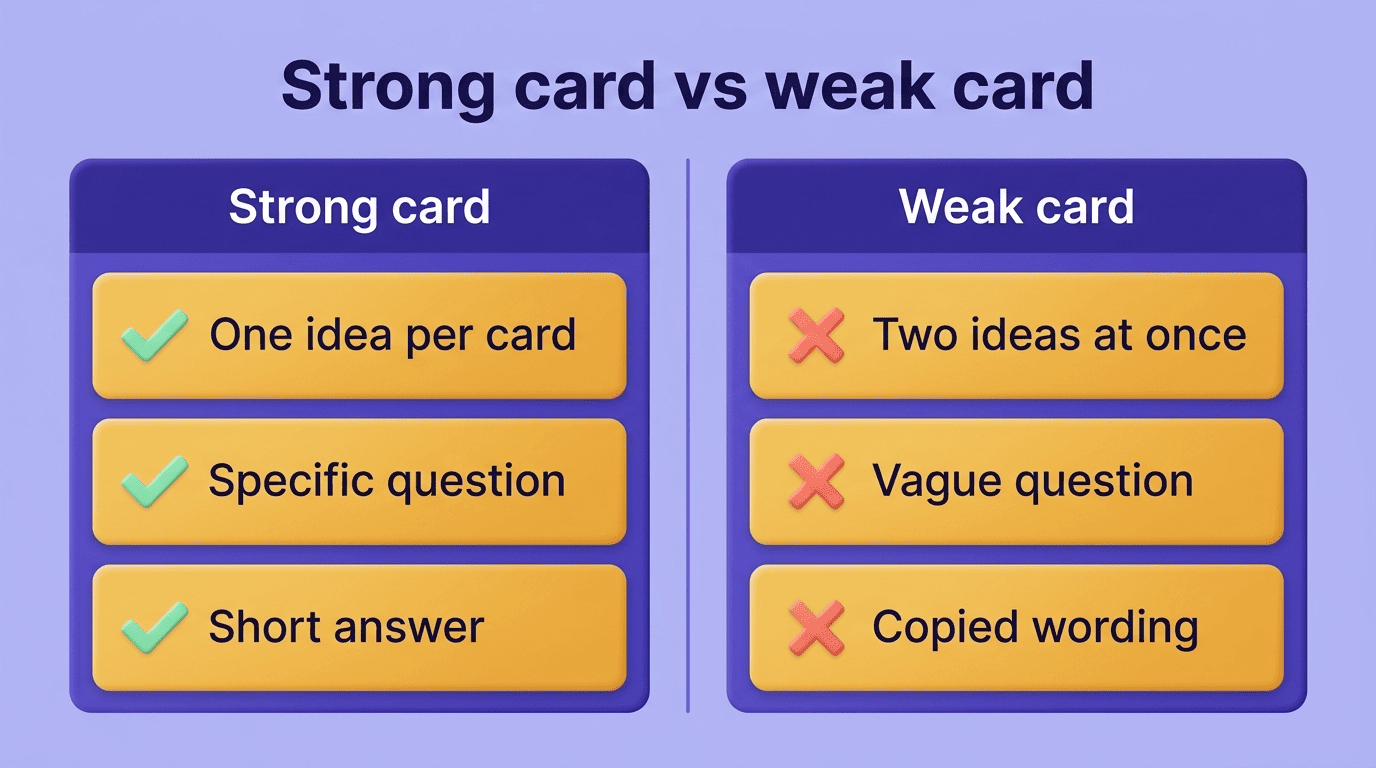
A generated deck is a first draft, not a finished study tool. The rules that separate a card that actually helps you from one you’ll skim past are the same whether a human or an AI wrote it: one idea per card, a specific question, a short answer, and — where possible — wording in your own words rather than the textbook’s.
AI-generated cards need a pass before you trust them. Models sometimes duplicate a fact across two cards worded slightly differently, or write a question vague enough that three different answers would technically be correct. Neither error is dangerous, but both waste review time, so it’s worth a quick read-through of a new deck before you start studying it seriously. A good check: does the question have exactly one correct, specific answer? If not, rewrite it.
Look for these signs before you trust a generated card:
- The question has one clear, specific answer — not three plausible ones
- The answer is short enough to recall in a few seconds, not a paragraph
- The card tests one idea, not two facts stitched together
- Nothing on the card is copied so directly that you’re recognizing it rather than recalling it
This is where an AI study helper earns its place alongside the flashcards rather than replacing them: it can explain why an answer is correct when a card alone leaves you guessing, but the recall itself — the part that builds the memory — still has to come from you.
Free Tools, Anki Export, and Honest Use
Most AI flashcard makers offer a free tier, typically capped by upload size or monthly card count rather than by feature access. Paid plans usually raise those limits and add extras like unlimited decks, more languages, or higher-resolution image occlusion.
| Free tier | Paid tier | |
|---|---|---|
| Upload size | Small, e.g. a few pages or ~25,000 characters per file | Much larger, often 100+ pages per file |
| Cards per month | Capped | Unlimited or much higher |
| Anki (.apkg) export | Sometimes included | Usually included |
| Image occlusion | Basic or limited | Higher resolution, more cards |
If you already keep your review history in Anki, look for an export option: several tools can package a generated deck as an .apkg file, which imports directly into Anki and keeps your existing scheduling data intact rather than forcing you to start a new deck from scratch.
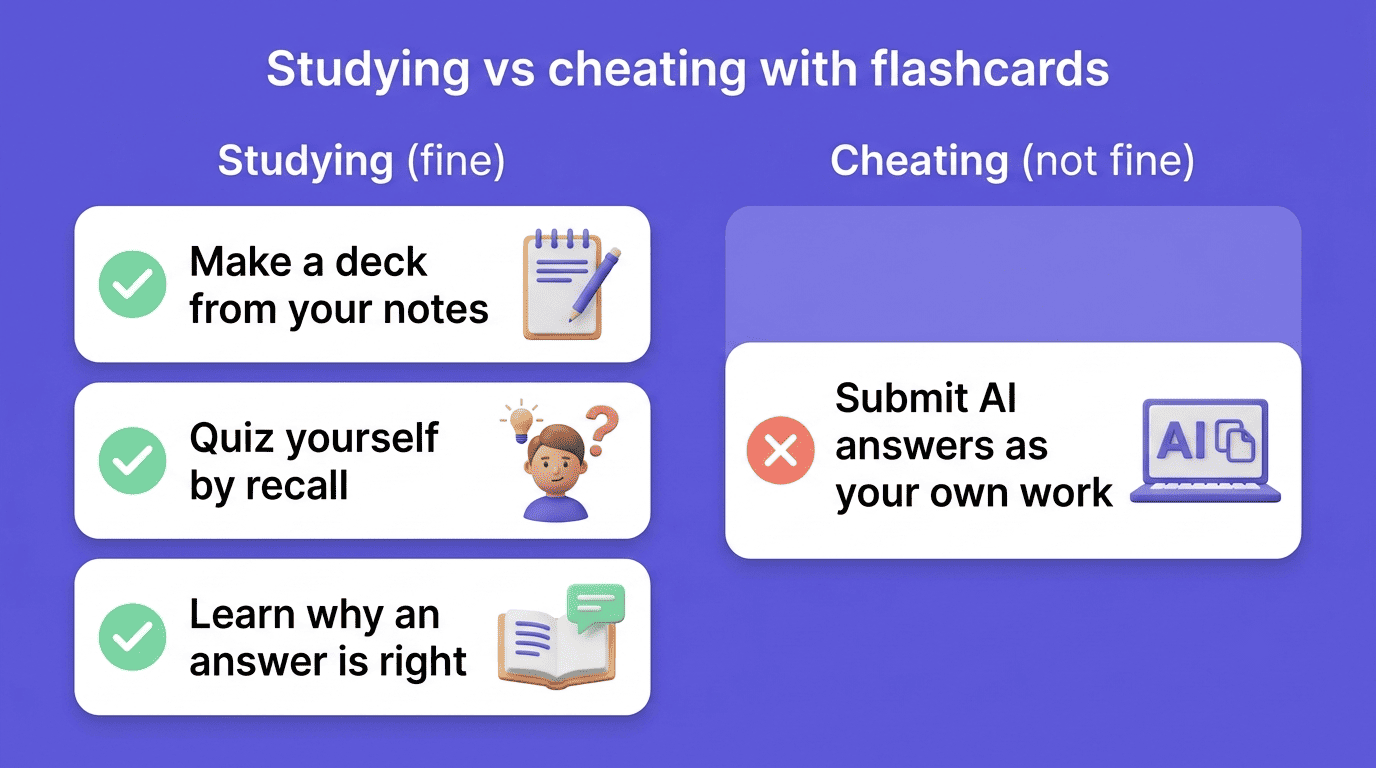
Where this tips into academic dishonesty is worth being explicit about, because the line is easy to blur. Generating a deck from your own notes and studying it with active recall is exactly what flashcards are for — it’s studying, just faster to set up. Feeding an AI an assignment prompt and submitting its output as your own work is a different act entirely, and it’s treated as a violation at most institutions. As MIT’s Academic Integrity guide puts it, «honesty is the foundation of good academic work,» and students are expected to do original work for each class rather than pass off someone else’s output as their own — a flashcard deck you built to learn the material clears that bar easily; a set of answers you didn’t produce and submitted as your own does not. Use a study AI tool to build and understand your cards, then let the recall be yours.