
AI Note Taker: Turn Lectures and PDFs Into Study-Ready Notes
An AI note taker listens to a lecture — or reads a PDF or video — and turns it into a clean, organized set of notes, often within about half a minute of a recording ending (a figure most vendors advertise rather than an independently benchmarked number), so you’re not scrambling to write everything down while your professor is three slides ahead. Paired with a study AI, those notes can go further: they can become flashcards, a practice quiz, or a topic you ask follow-up questions about, the way Ada does when a student uploads a lecture recording.
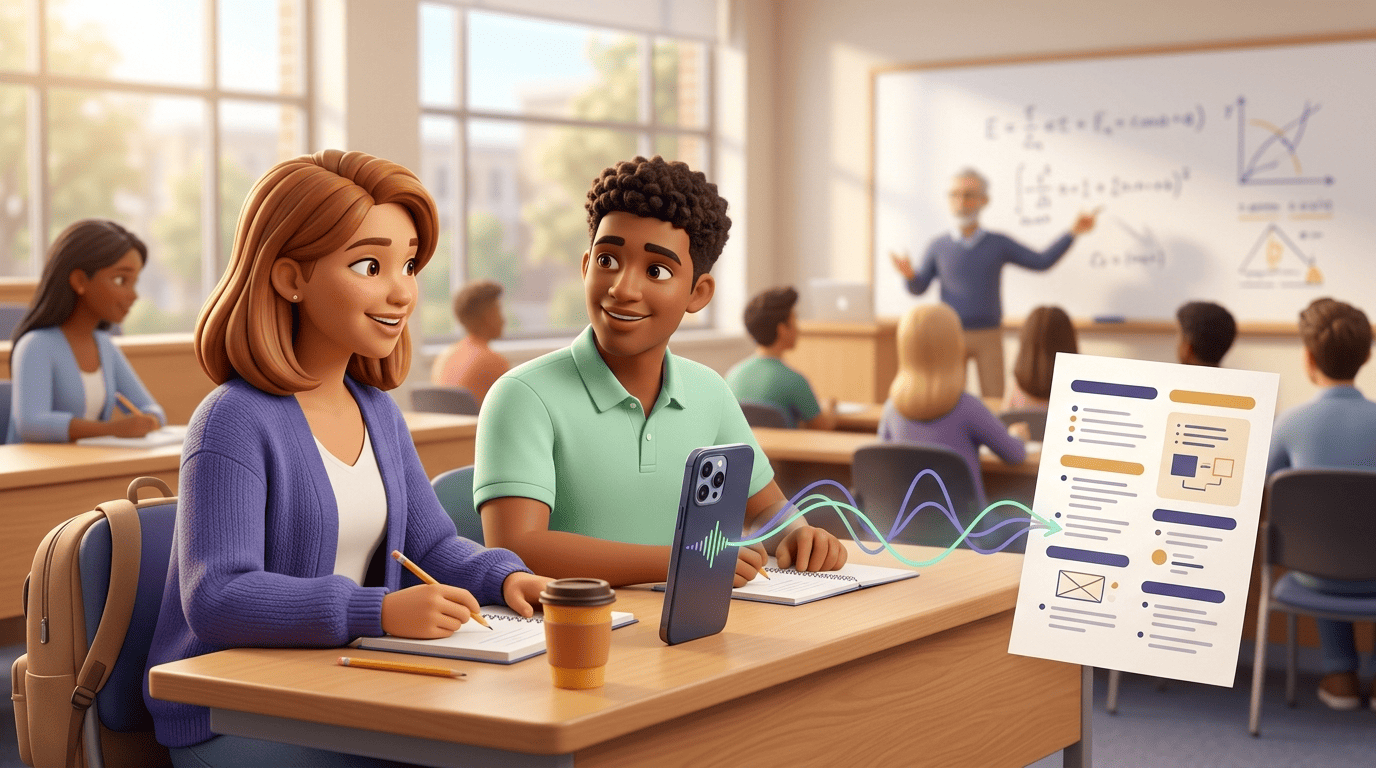
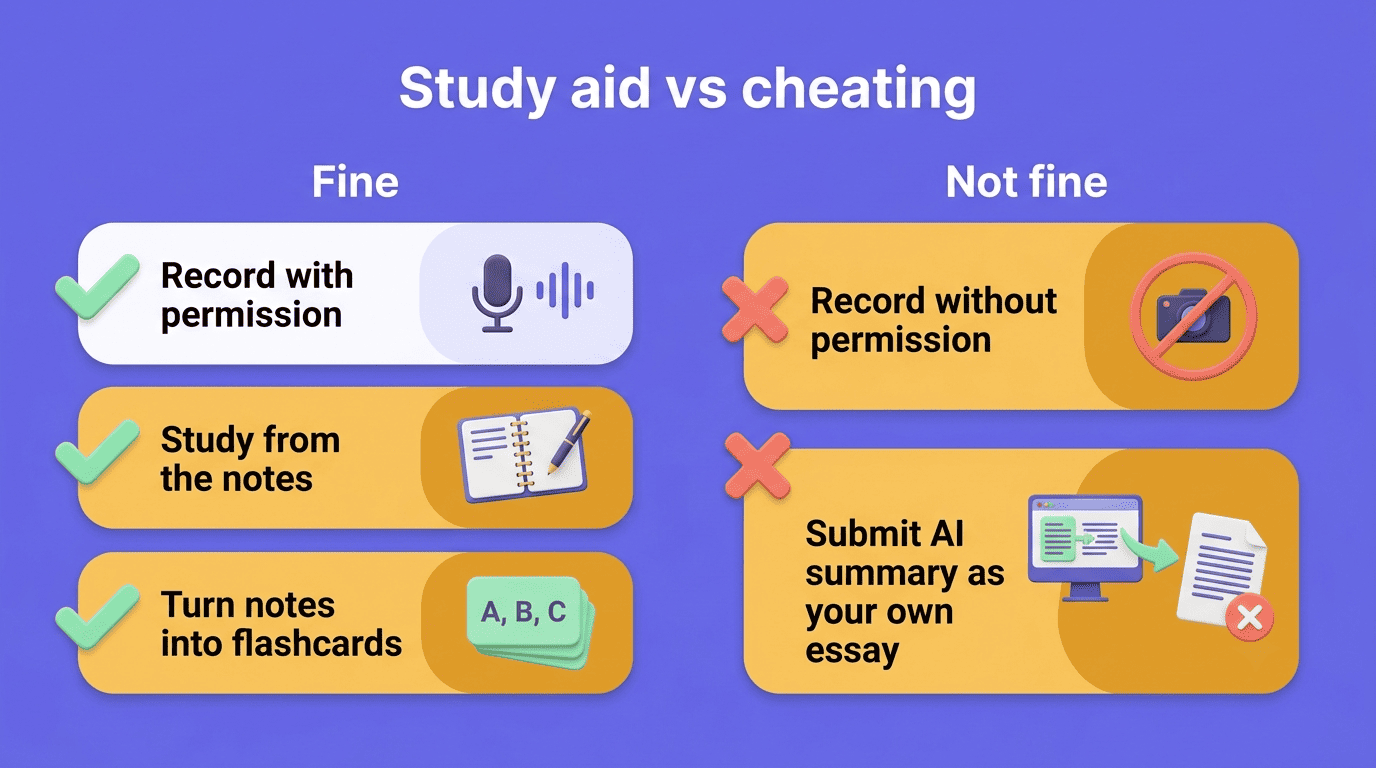
But a transcript isn’t the same as learning. An auto-generated note takes the writing off your plate, not the understanding — you still have to do the mental work of making sense of the material yourself. That distinction matters for how you use these tools: capturing a lecture and studying from it afterward is exactly what an AI note taker is for; handing in the generated summary as your own essay, or recording a class without permission, is not.
What Is an AI Note Taker?
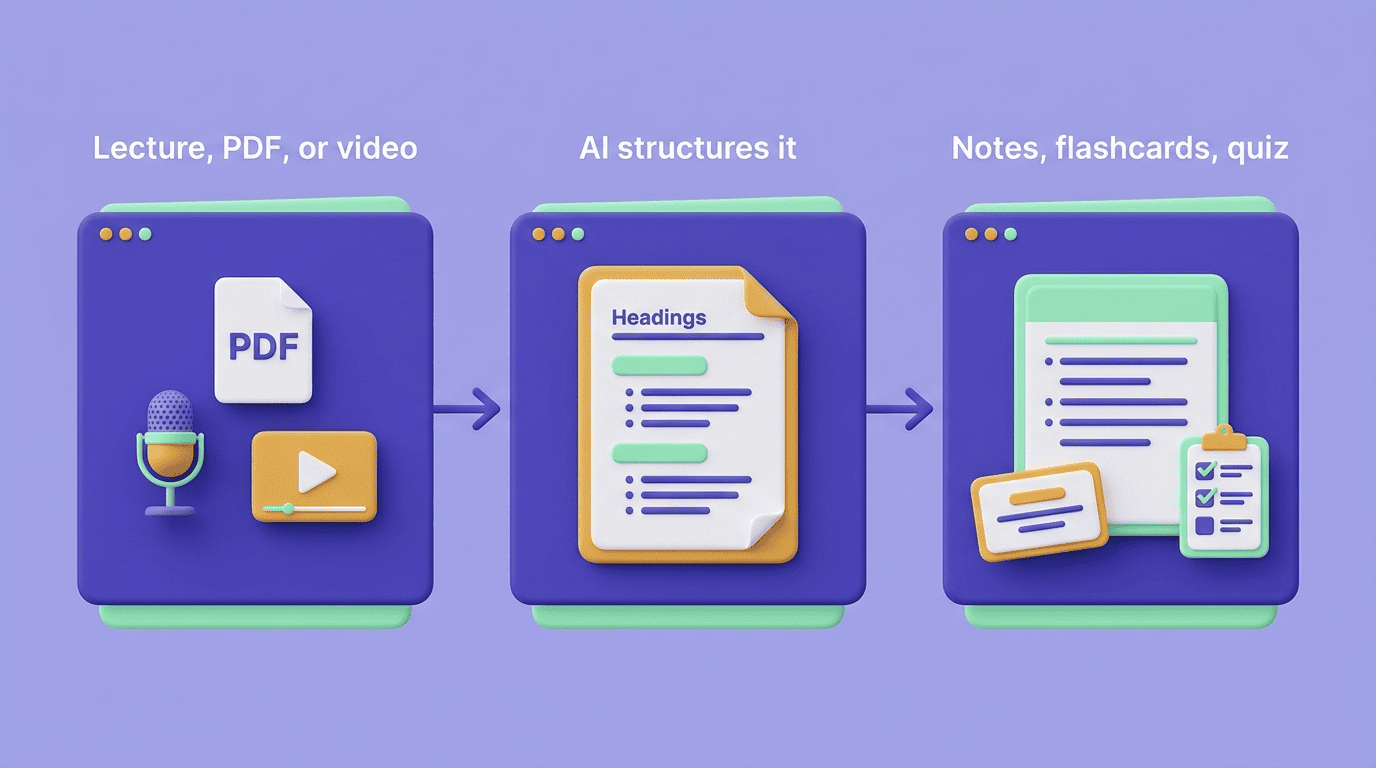
An AI note taker is software that converts spoken or written material — a lecture, a video, a PDF chapter — into a structured written summary instead of a raw wall of text. That’s the key difference from just hitting record on your phone: a plain voice memo or an unedited transcript gives you every «um» and tangent in order, while an AI note taker identifies headings, definitions, and examples and arranges them so you can actually study from the result. You’ll see these tools marketed under a few overlapping names:
- AI notetaker
- AI lecture note taker
- Lecture summarizer
- AI note-taking app
The label changes, but the job is the same.
The underlying idea isn’t new; it’s a shortcut to something students have always done by hand. Wikipedia describes note-taking broadly as the practice of recording information from a source so it can be reviewed later without relying purely on memory, and an AI note taker automates the recording and organizing half of that job while leaving the reviewing half — the part that actually builds understanding — to you.
How an AI Note Taker Works
From lecture to notes
The typical flow starts with audio: a phone propped up in a lecture hall, a Zoom call, or a recorded webinar. The tool transcribes the speech, then pulls out the concepts that matter — key terms, definitions, worked examples — and formats them into an outline or a set of paragraphs rather than leaving you with the raw transcript. Several popular tools advertise finishing this step in about 30 seconds of the recording ending — that’s a vendor-claimed figure rather than an independently measured benchmark, and actual processing time varies with recording length and tool — but it’s fast enough in practice that you can often review notes before you’ve even left the room.
What you can feed it
You’re not limited to live audio. Most AI note takers also accept:
- An uploaded audio or video file
- A YouTube link
- A PDF chapter or a set of slides
- A plain web link to an article or a recorded webinar
STEM courses are usually supported too, with formulas and diagrams carried through into the notes rather than dropped. Many tools let you set the level of detail — a tight outline versus a fuller paragraph-style summary — and some let you flag specific topics to focus on, which is useful when a lecture covers several units at once.
The Science of Notes — and Why AI Changes It
Two things notes do
Note-taking research generally points to two separate benefits, and they don’t automatically come together:
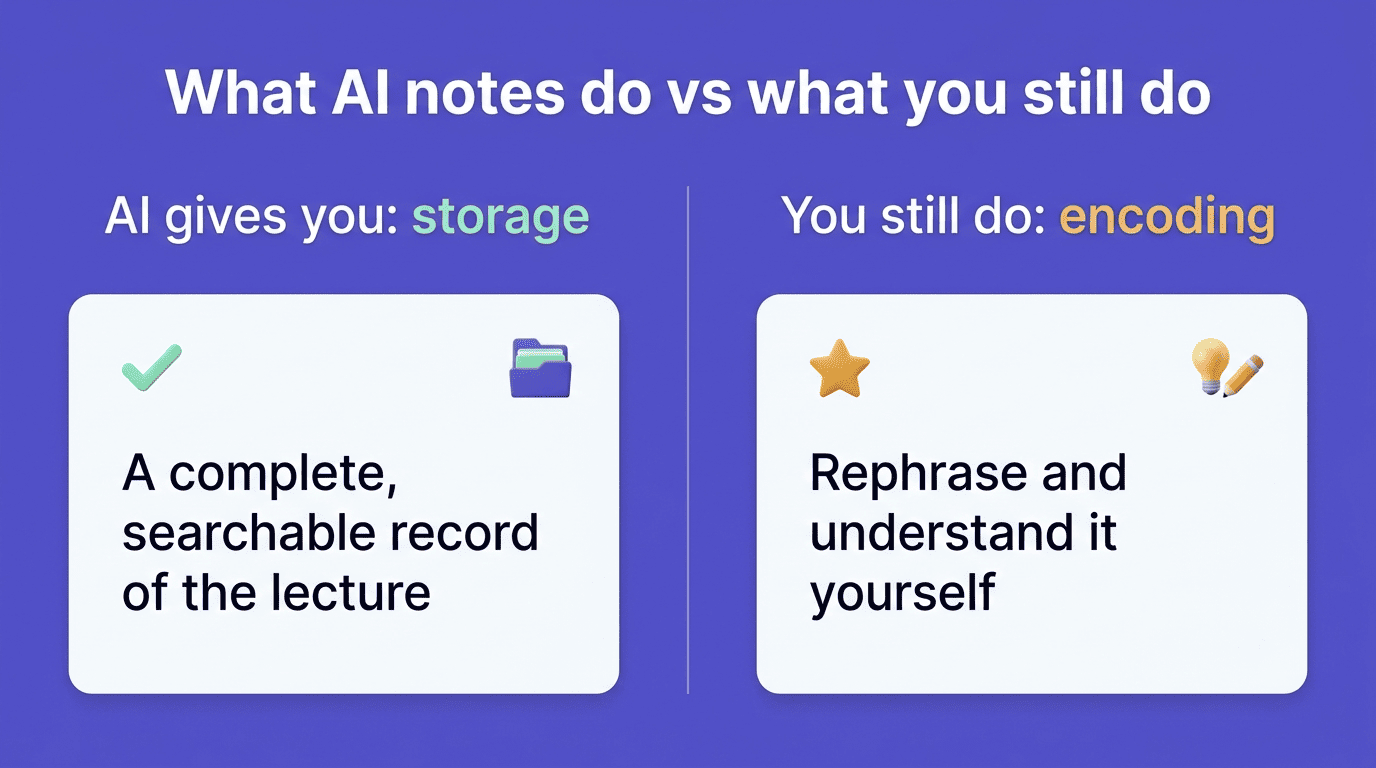
- Encoding — the act of listening, deciding what matters, and rephrasing it in your own words deepens how the material gets processed in the moment.
- External storage — having a written record you can come back to later, regardless of how well you processed it the first time.
Research on handwritten versus typed notes — summarized in Wikipedia’s entry on note-taking and rooted in Mueller and Oppenheimer’s 2014 study — found that students who wrote notes by hand performed better on some tests than those who typed, plausibly because handwriting is slow enough to force rephrasing rather than verbatim transcription; later replication attempts found the effect holds for factual recall but not consistently for conceptual understanding. That handwriting-vs-typing research doesn’t directly cover AI-generated notes, but the same logic applies: an automated note, like a typed transcript, skips the rephrasing step that handwriting forces.
Note-taking is the practice of recording information from different sources and platforms. By taking notes, the writer records the essence of the information, freeing their mind from having to recall everything.
Wikipedia, Note-taking
The catch with AI notes
This is where an AI note taker has a real trade-off worth knowing about. It gives you excellent external storage — a clean, complete, searchable record of the lecture — but it doesn’t ask you to rephrase anything, so it skips the encoding step entirely. That means an AI-generated note is not «free learning.» It saves you the writing, not the understanding, and the understanding still has to come from somewhere — usually from reviewing the notes actively rather than just filing them away.
Note-taking methods worth borrowing
You can recover some of that lost encoding effort by applying an established note-taking method to your AI-generated notes instead of treating them as a finished product. The Cornell method — developed by education professor Walter Pauk at Cornell University and popularized in his 1962 book How to Study in College — splits a page into a notes column, a narrower cue column for questions and keywords, and a summary section at the bottom. Applied to an AI transcript, that might mean adding your own cue questions in the margin after the fact, which forces the rephrasing that the automated summary skipped. Outline notes, concept mapping, and charting are other structures that work the same way, whether the base material came from your own pen or from a note-taking app.
| Method | Best for | What it adds to AI notes |
|---|---|---|
| Cornell | Lecture-heavy courses | Cue questions + a self-written summary |
| Outline | Well-organized, linear lectures | A hierarchy you build yourself, not just accept |
| Mapping | Courses with lots of interconnected ideas | Visual links between concepts |
| Charting | Comparison-heavy content (dates, terms, categories) | Structured recall practice while filling it in |
How to Actually Learn From AI Notes
Rereading a finished set of AI notes passively is the least effective way to use them — it feels like studying, but it mostly just re-exposes you to information you’ve already seen once. A few things turn a static summary into real practice:
- Generate flashcards or a short quiz from the note set and test yourself before checking the answers.
- Rewrite the key ideas in your own words instead of just re-reading the AI’s phrasing — this is where you recover the encoding you skipped during the lecture.
- Ask an AI study assistant to explain the one paragraph that didn’t quite land, rather than skimming past it.
- Add your own cue questions in the margins, Cornell-style, even on notes you didn’t write yourself.
- Break the material into small chunks — working memory generally holds only around three to five ideas at once, so studying one section at a time beats trying to absorb a full lecture’s summary in one sitting.
- Space your review sessions out over several days instead of reading the notes once and closing the tab.
- Revisit the original recording or PDF when a note feels thin, since a summary can compress out detail you still need.
Privacy, Price, and Picking a Tool
A few practical checks matter more than which tool has the flashiest homepage.
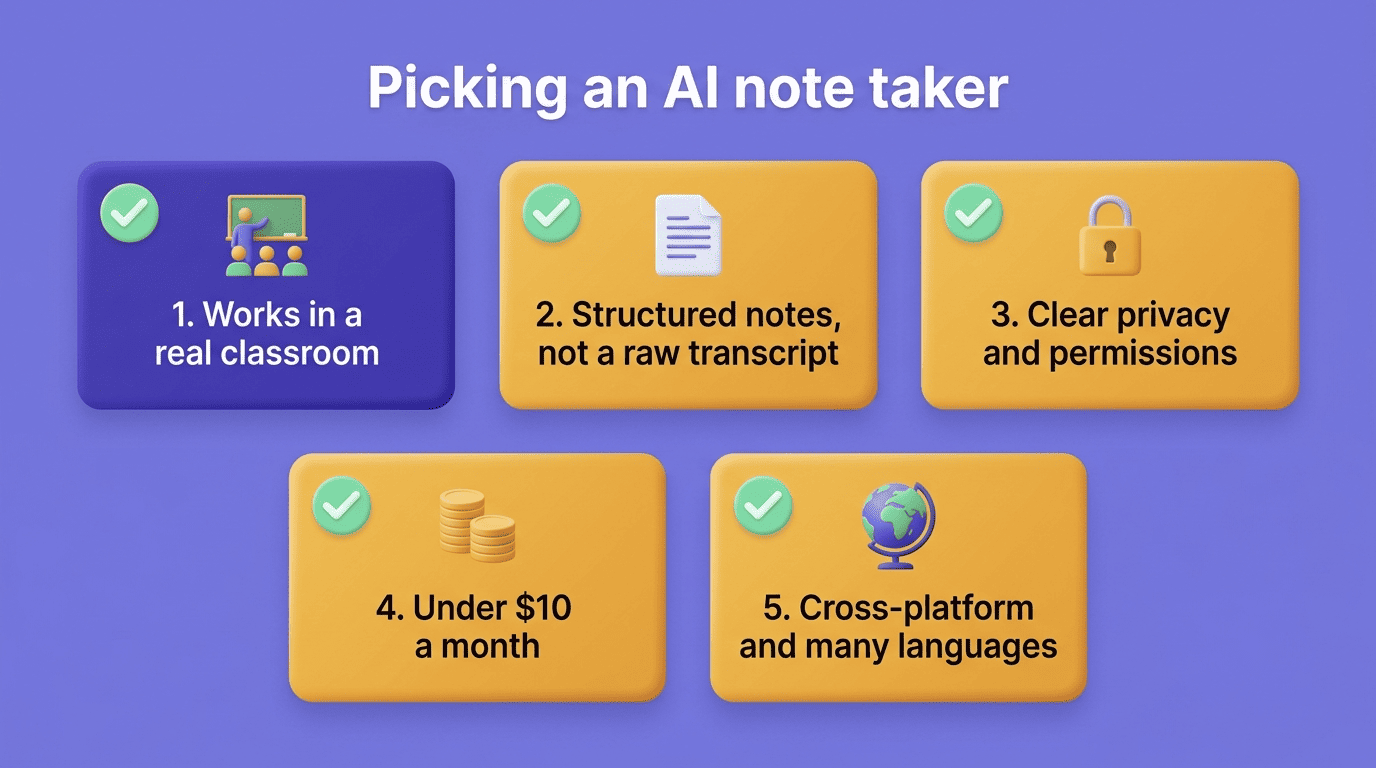
Microphone that works in a real room, not just Zoom. Plenty of note-taking apps are built for online meetings and struggle with classroom acoustics — confirm the app can pick up a professor from a phone in a lecture hall before you rely on it for an entire semester.
Structured output, not a raw transcript. Headings, definitions, and examples are the whole point of paying for an AI note taker over a free recording app. If what you get back is a wall of text, you haven’t gained much over hitting record yourself.
Privacy and permission settings. Check who can access your recordings, whether audio is stored or deleted after processing, and whether the tool is clear about what it does with your data.
Price and a usable free tier. Student-friendly plans typically land under $10 a month, and most credible tools offer a free tier that covers a limited number of recordings or a shorter monthly duration so you can test before paying.
Cross-platform and language support. Phone-plus-laptop coverage matters if you switch devices between class and your desk, and broad language coverage — some tools claim 100 or more languages — is worth checking if you’re recording in a language other than English.
Be skeptical of headline claims like «99% accuracy»: that’s a marketing figure from the vendor’s own testing, and accuracy varies a lot with accents, background noise, and technical vocabulary, so it’s worth testing on one of your own recordings before committing.
| Plan type | Typical limits | Good fit for |
|---|---|---|
| Free | Limited recordings/minutes per month, fewer languages | Trying the tool on one or two classes |
| Paid (student tier, usually under $10/mo) | Higher or unlimited recording time, more export options | Regular use across a full course load |
Using an AI Note Taker Honestly
There’s a clear line between using an AI note taker as a study aid and using it to cut corners on academic work, and it’s worth knowing where it sits before you rely on one all semester. Recording a lecture and generating a note set to study from is a legitimate use of the tool — it’s functionally the same as taking notes by hand, just faster and better organized. What crosses the line is recording a lecture without the instructor’s or the class’s permission, since many institutions treat classroom recording as something that requires consent, and submitting an AI-generated summary as your own original writing on an assignment, which is a form of misrepresenting authorship rather than studying.
Before you lean on one of these tools regularly, it’s worth checking a few things at the start of the term rather than after a problem comes up:
- Your syllabus or student handbook’s policy on recording lectures
- Whether your professor requires asking before you record a specific class
- Your school’s policy on AI-assisted work for notes versus for graded assignments
- Whether the note-taking tool stores or shares recordings in a way your school is comfortable with
MIT’s academic integrity guidance, for instance, lays out the general expectation that submitted work represents a student’s own understanding, which is the same standard that applies whether the shortcut in question is a note-taking app, a classmate’s notes, or anything else. Used within those boundaries, an AI note taker is closer to a study accelerator than a workaround — it clears the mechanical part of capturing a lecture so you can spend your limited attention on the harder part: actually learning the material.