AI Tutor: How a Study AI Actually Helps You Learn (Not Just Answer)
An AI tutor is a study tool that explains concepts, walks through problems step by step, and quizzes you on demand, any hour of the night before a test. The best kind, like the study AI behind StudyAI, is built on the same idea researchers call an «intelligent tutoring system» — software that adapts to what you personally don’t understand yet, rather than delivering the same lecture to everyone. That single design choice, guiding you toward an answer instead of just handing it over, is what separates a real learning tool from a homework-answer machine.

This guide covers what an AI tutor actually is, whether the research backs up the hype, exactly where the academic-honesty line sits, and how to pick a tool that makes you sharper instead of more dependent.
What an AI tutor is
An AI tutor is software, usually built on a large language model, that plays the role of a patient one-on-one teacher: it explains a topic at your level, works through a problem alongside you, answers follow-up questions, and adjusts once it sees where you’re stuck. Researchers have studied this category for decades under the name «intelligent tutoring system,» and the core promise hasn’t changed — deliver individualized instruction at a scale no school could staff with humans alone.
A patient tutor on demand
Unlike a textbook or a search engine, an AI tutor holds a conversation. You can ask it to re-explain a concept a different way, request an easier example, or admit you’re still confused, and it responds instead of repeating itself.
That back-and-forth is the whole point — a static resource gives you one explanation whether or not it clicked, while a tutor keeps adjusting until something does. Coverage varies by tool, but most span the subjects students actually struggle with:
- Math, from pre-algebra through calculus and statistics
- Science — biology, chemistry, physics, and lab-report help
- Coding and computer science fundamentals
- Humanities, essay feedback, and history or literature analysis
- Standardized test and exam prep
Some tools go further: Mindko’s AI tutor, for example, advertises coverage across dozens of subjects — from accounting to zoology — and reports serving more than 250,000 students, which gives a sense of how broad this category has grown.
Guides, not just gives answers
The distinction that matters most is how the tool responds when you’re stuck. Khan Academy’s Khanmigo and the AI tutor built by UC San Diego are both explicitly engineered to nudge you toward the answer with hints and questions rather than print it outright. That’s the difference between a study AI app that teaches and one that just does the assignment for you — and it’s the design principle worth checking before you trust any tool with your grades.
A tool built to just hand over answers optimizes for finishing the assignment fast. A tool built to guide optimizes for you understanding the material once the assignment is long gone — the second kind is the one that actually shows up for you on the next quiz.
Do AI tutors actually work?
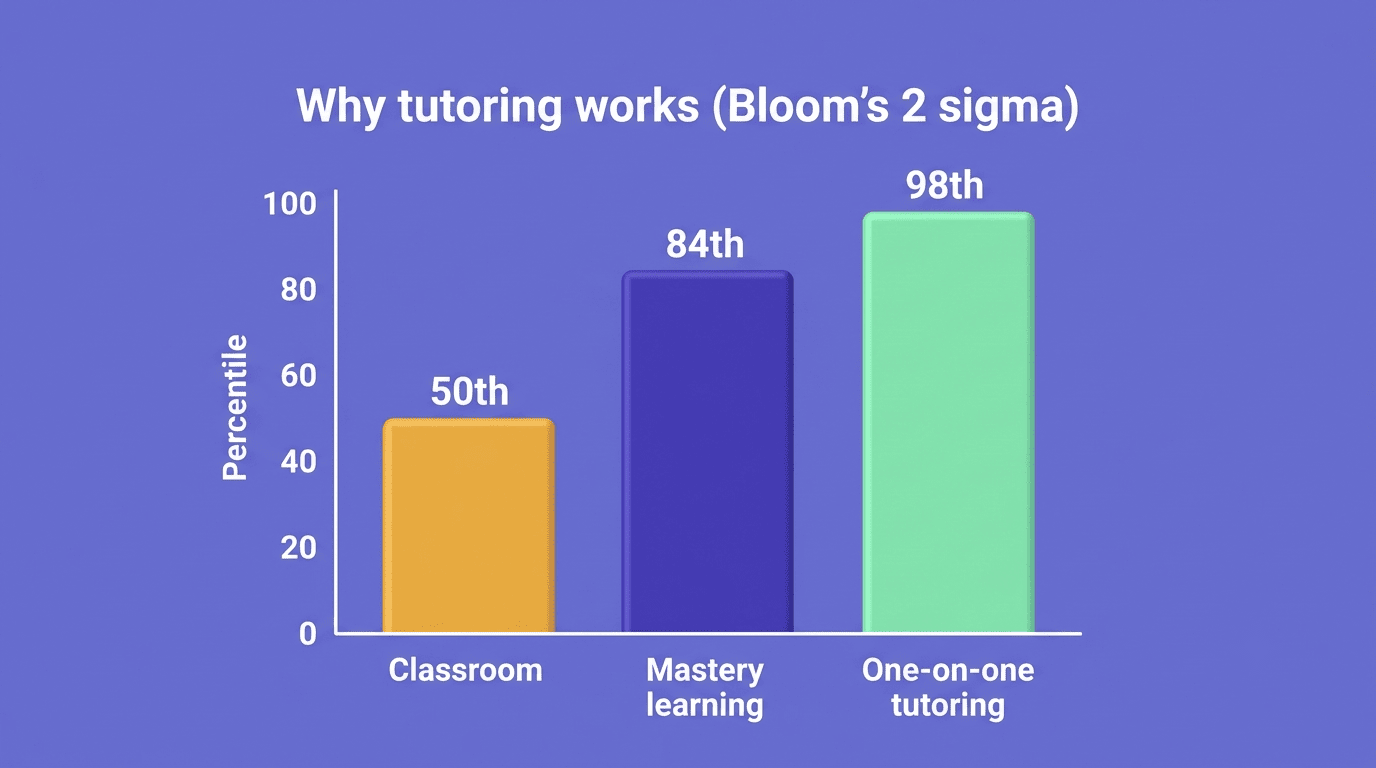
The case for one-on-one tutoring predates AI by decades, and the evidence is unusually strong. In 1984, educational psychologist Benjamin Bloom described what’s now called the «2 sigma problem«: students who received individual tutoring, paired with mastery learning, performed about two standard deviations better on tests than students taught in a conventional classroom. In plain terms, an average tutored student ended up outperforming roughly 98% of classroom peers.
| Learning setting | Typical performance vs. classroom average |
|---|---|
| Conventional classroom instruction | Baseline (50th percentile) |
| Mastery learning alone | About +1 standard deviation (~84th percentile) |
| One-on-one tutoring + mastery learning | About +2 standard deviations (~98th percentile) |
That gap is exactly why AI tutors exist — no school can hire a personal tutor for every student, but software can approximate the attention and pacing that made the effect so large in Bloom’s studies. Early real-world results are encouraging: in pilot courses at UC San Diego, nearly 70% of students rated their AI tutor effective or highly effective, and the students who liked it most specifically pointed to how it gave hints rather than answers, letting them learn from their own mistakes rather than skip the struggle entirely.
Is using an AI tutor cheating?
Using an AI tutor to understand material, practice problems, or check your reasoning is standard studying — the same category as a tutoring center, a study group, or office hours. It becomes cheating when you copy its output into a graded assignment and submit it as your own unaided work, or when doing so violates the academic-integrity policy your course or school has published.
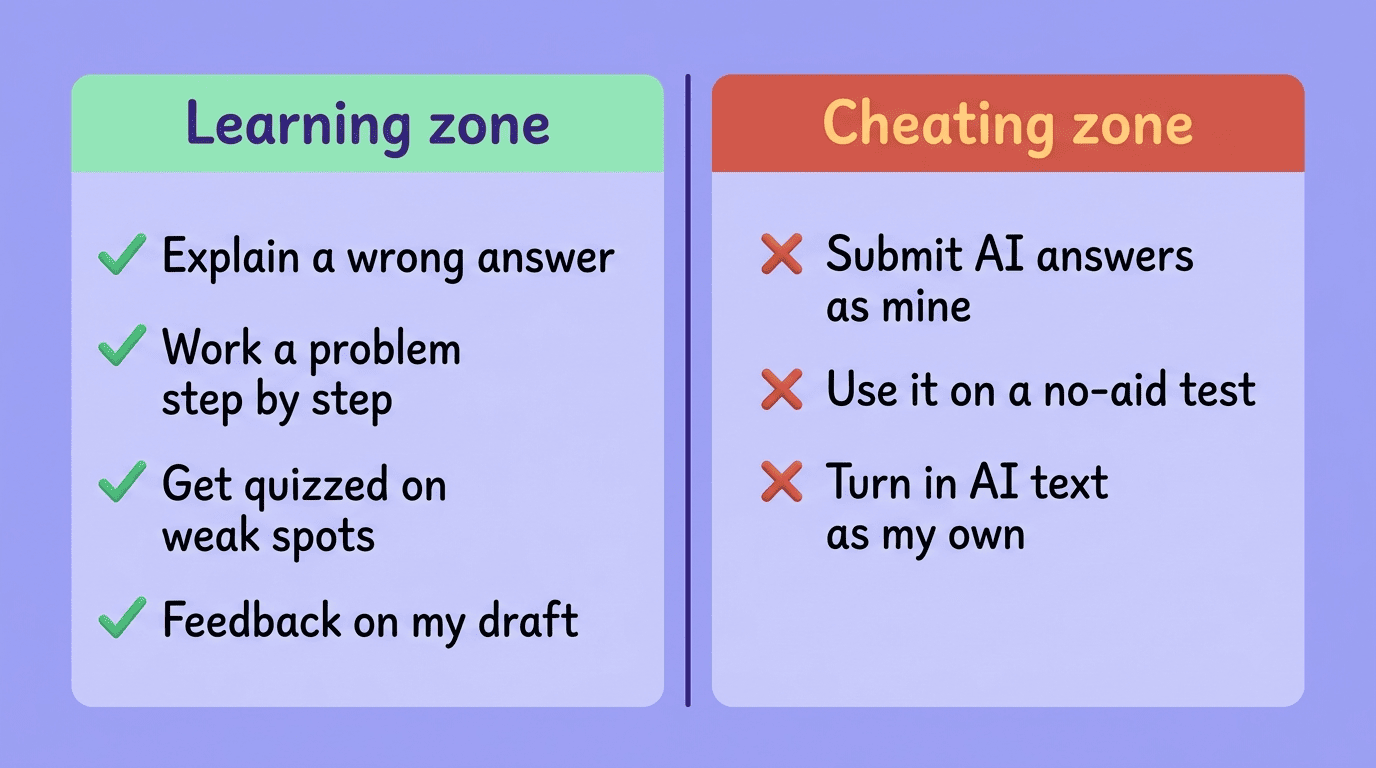
Learning zone vs. cheating zone
Learning zone (green) — things a tutor is meant for:
- Explain a concept you got wrong on a quiz
- Work a practice problem step by step and check your reasoning
- Prep for an exam by being quizzed on weak spots
- Get feedback on a draft before you revise it yourself
Cheating zone (red) — things that cross the line:
- Submit AI-generated answers on a graded assignment
- Use it during a closed-book or no-aid test
- Turn in AI-written text as your own original work
- Ignore a syllabus rule that bans outside tools for that assignment
The International Center for Academic Integrity frames the underlying standard around a small set of shared values — honesty, trust, fairness, respect, responsibility, and courage — that apply regardless of which tool a student is using. A tutor that’s designed to guide rather than answer keeps you in the green zone almost by default, but the tool’s design doesn’t override your responsibility to know the rules.
Check the course policy
Read your syllabus and your school’s academic-integrity policy before you assume a tool is fine to use on a specific assignment; policies vary by class and even by assignment within the same class. When you’re unsure, ask the instructor directly — it takes one email and removes all the guesswork.
Free access doesn’t change the rules, and neither does everyone else in the group chat using it. Some instructors explicitly allow AI tools for practice and studying but ban them on graded submissions — the tool being free or paid has nothing to do with which side of that line an assignment falls on.
AI tutor vs. human tutor
An AI tutor and a human tutor aren’t really competing for the same job — they’re good at different parts of learning, and the strongest study setups tend to use both.
| AI tutor | Human tutor | |
|---|---|---|
| Availability | 24/7, instant | Scheduled sessions |
| Cost | Often free or low-cost | Typically $30–$100+/hour |
| Patience with repetition | Unlimited | Limited by time and session length |
| Emotional support / accountability | Minimal | Strong |
| Subject breadth | Very wide, instantly switchable | Depends on the individual tutor |
| Reads nonverbal confusion | No | Yes |
What AI does better
An AI tutor is always available, never gets impatient no matter how many times you ask the same question, costs little or nothing, and can move from calculus to a history essay in the same conversation at two in the morning before a deadline.
That combination of speed and patience is genuinely hard for a human schedule to match, which is why AI tutors tend to work best as the everyday layer of support rather than an occasional session.
What humans still do better
A human tutor brings accountability, reads confusion on your face before you’ve even said anything, and can mentor you through a rough semester in ways a chat window can’t. UC San Diego’s team, which built and studied its own AI tutor, was explicit about this boundary: the tool is designed to augment instructors and teaching assistants, not replace them.
As computer science professor Mohan Paturi put it while explaining why the team built a guided AI tutor rather than a generic chatbot, «students will use AI for their assignments,» but generic tools «do not necessarily facilitate learning.» That’s an argument for pairing a guided AI tutor with real instructors and TAs, not swapping one for the other.
How to choose an AI tutor
Guides rather than answers. The single best signal of quality is whether the tool tries to teach you or just solves the problem for you — test it with a question you already know the answer to and see how it responds.
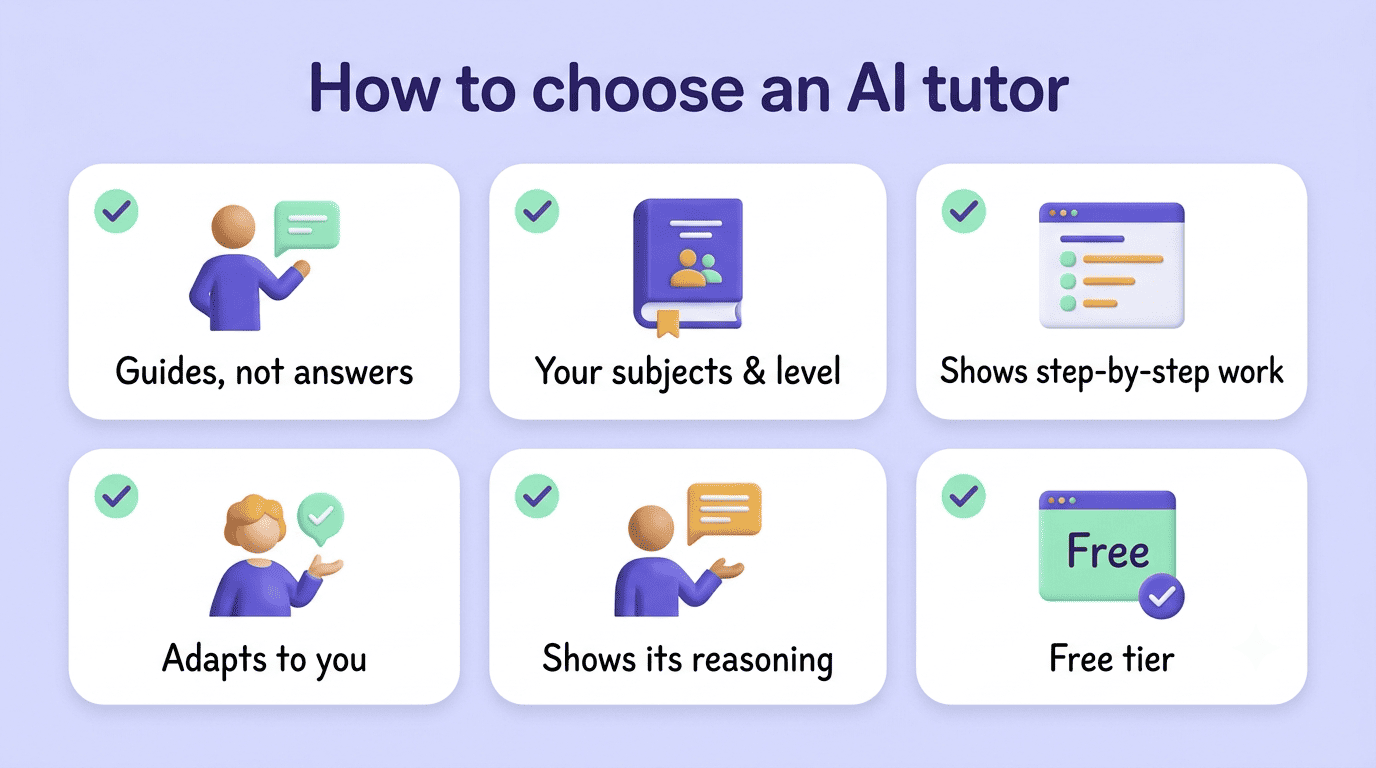
Covers your subjects and level. A tool that’s excellent at calculus won’t necessarily help with a literature essay; check subject and grade-level coverage before committing.
Shows step-by-step work. You should be able to see each stage of a solution, not just a final number, so you can spot exactly where your own understanding breaks down.
Adapts to what you get wrong. A tutor that repeats the same explanation after you’ve already said you don’t get it isn’t actually adaptive — it should try a different approach the second time.
Cites or shows its reasoning. Especially for factual or research-heavy subjects, a tutor that shows its work is easier to trust and easier to learn from.
Offers a free tier. Plenty of solid options, including StudyAI, let you get explanations and practice without paying up front — there’s rarely a reason to pay before you’ve tested the free version.
Treat marketing that leans on any of the following as a red flag rather than a feature — these tools are built for the cheating zone, not the learning zone:
- «Instant answers» with no explanation shown
- «Beat plagiarism/AI detectors» as a selling point
- No option to see step-by-step reasoning
- No free tier to test how it actually behaves before you pay
Getting the most from your AI tutor
Even the best-designed AI tutor can be misused if you skip straight to the answer instead of working through the struggle yourself — the tool’s value comes from how you use it, not just which one you pick.
The reality is that students will use AI for their assignments. But those tools do not necessarily facilitate learning.
Mohan Paturi, Professor, UC San Diego
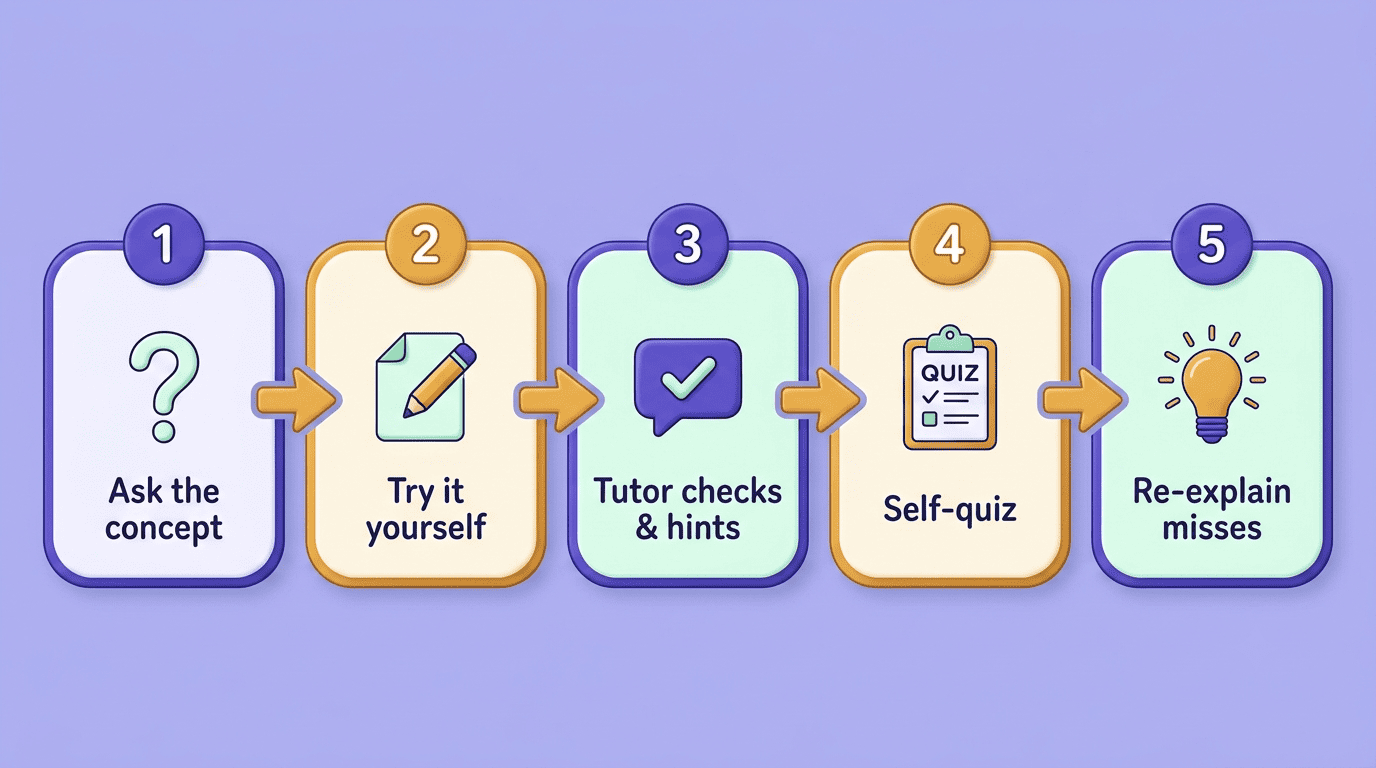
That warning is exactly why the order you use a tutor matters as much as which one you pick. A simple, repeatable study loop keeps an AI tutor in the learning zone and turns it into an actual skill-builder instead of a shortcut.
- Ask the tutor to explain the concept in plain terms before you touch the problem.
- Attempt the problem yourself first, even if you get it wrong.
- Have the tutor check your work and give a hint rather than the fix.
- Revise your attempt using the hint, and try to finish it yourself.
- Ask for a short self-quiz on the same concept to confirm it stuck.
- Have the AI study assistant re-explain anything you missed until you could teach it back to someone else.
That last step, teaching it back, is the real test. If you can explain a concept out loud without checking your notes, you’ve actually learned it — which was the point of the two a.m. tutoring session in the first place.