
AI Math Solver: How It Works and How to Use One to Actually Learn Math
An AI math solver is a tool that reads a math problem — typed, pasted, or snapped as a photo — and returns a worked step-by-step solution instead of just a final number. Used well with a study AI helper, it turns «I have no idea where to start» into «now I see the method.» According to the Wikipedia entry on computer algebra systems, the symbolic engines many of these tools rely on have been computing exact algebraic results, not approximations, for decades — which is part of why a solver can show real working, not just a guess.
This guide explains how these solvers actually work, where they get things wrong, and how to use one to learn the method — not to cheat.

What an AI math solver is (and how it differs from a calculator)
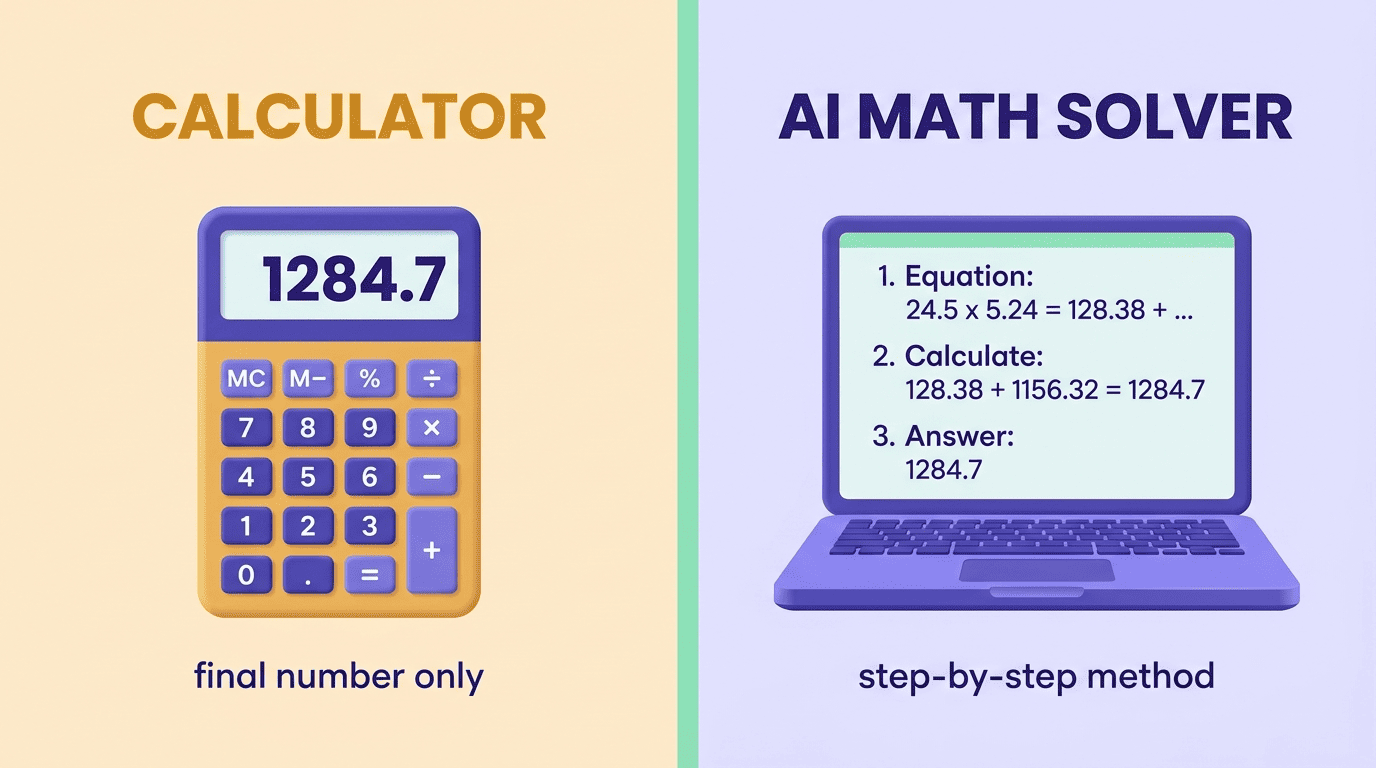
A traditional calculator only processes the numbers and formulas you type into it. An AI math solver interprets the problem — including word problems and photographed equations — and explains the reasoning behind the answer. Under the hood, many combine a language model with a symbolic math engine, or computer algebra system, so results can be computed exactly rather than guessed at.
| Feature | Traditional calculator | AI math solver |
|---|---|---|
| Input | Numbers and operators you key in | Typed text, photo, or handwriting |
| Output | Final number only | Step-by-step solution with reasoning |
| Handles word problems | No | Yes, with context |
| Explains the method | No | Yes, in most cases |
| Needs you to know the setup | Yes | No — it identifies the problem type |
Not just a smarter calculator
That table is the whole distinction in one line: a calculator executes what you already set up, while a math AI figures out the setup itself. This matters most for word problems and photographed textbook pages, where the hard part isn’t the arithmetic — it’s translating the question into an equation in the first place.
What «step-by-step» really means
Instead of jumping straight to x = 4, a good AI math calculator shows the isolate-the-variable steps, names the rule used at each line, and explains why that rule applies. That worked path — not the final digit — is the part you can actually learn from, and it’s what separates a real math problem solver from a black box that just returns a number.
How an AI math solver works, step by step
Every solver, regardless of the interface, runs roughly the same pipeline behind the scenes. Knowing the steps makes it much easier to spot where an answer might have gone wrong.
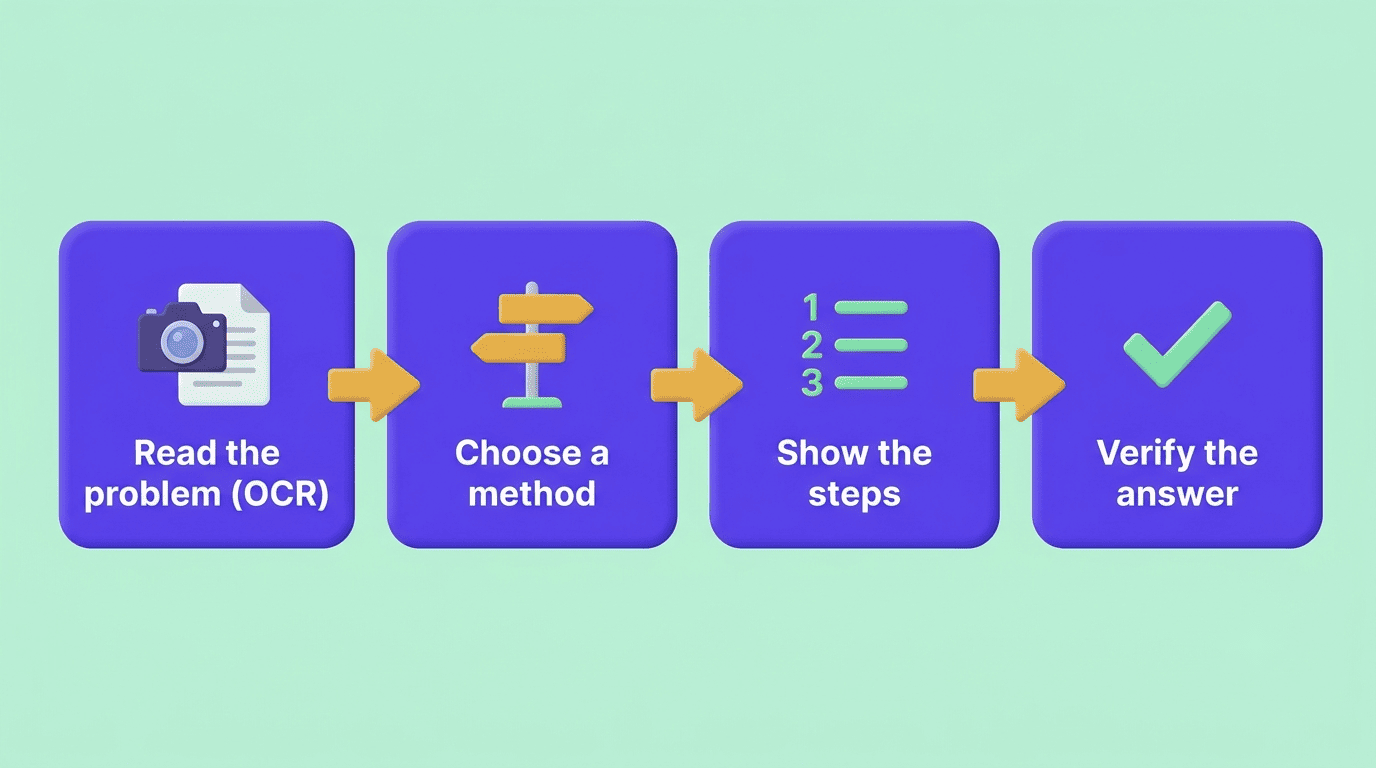
1. Reading the problem (input and OCR)
You type, paste, or photograph the problem. Optical Character Recognition converts a photo or handwriting into machine-readable math, and equation recognition figures out the structure underneath the image. In practice, that structure can include:
- Fractions and nested fractions
- Exponents and radicals
- Matrices and systems of equations
- Multi-line word problems with mixed text and symbols
2. Choosing a method
The AI identifies the problem type — a quadratic, a derivative, a system of equations — and selects an appropriate solving method, the way a tutor scanning your homework would before picking up a pencil.
3. Generating the steps
It works the problem line by line, producing intermediate steps and naming the rule applied at each one, instead of jumping to the result.
4. Verifying the result
Better solvers cross-check the final answer against the original problem before showing it to you. The key limitation sits one step earlier: if the problem is misread during OCR, every step built on top of that misreading is wrong, no matter how clean the algebra looks.
Are AI math solvers accurate? Where they get math wrong
Large language models are historically unreliable at raw arithmetic on their own, and they can produce a confident-looking but wrong step — a failure mode researchers call AI hallucination. This is exactly why you should never accept an answer blind: always double-check the result by plugging it back into the original problem, or by re-solving one line of it yourself.

The most common failure modes stack up in predictable places rather than randomly:
- Poor photo lighting or messy handwriting causes the OCR step to misread a symbol or digit
- Word problems get misinterpreted when the AI lacks context a human reader would infer instantly
- The solver’s method may differ from the one your teacher expects, which matters when your grade depends on showing a specific technique
- Multi-step calculus and long arithmetic chains carry more accumulated risk of a small slip than a single-step algebra problem
None of that means the tools are unreliable overall — it means treating any AI math tool the way you’d treat a classmate’s worked answer: probably right, worth checking before you trust it on a graded assignment.
What subjects an AI math solver can handle
Most solvers cover a wide academic range, from early arithmetic through college-level math, and several extend into the sciences that lean on math.
| Subject area | Typical coverage |
|---|---|
| Arithmetic & pre-algebra | Fractions, order of operations, ratios |
| Algebra | Linear and quadratic equations, systems |
| Geometry & trigonometry | Angles, proofs, triangle and circle problems |
| Calculus | Derivatives, integrals, limits |
| Statistics | Probability, distributions, hypothesis basics |
| Physics & engineering math | Equations that combine algebra or calculus with units |
Input formats stretch just as wide:
- Typed equations entered directly
- Photographed textbook or worksheet pages
- Handwritten homework
- Full word problems written in plain sentences
The messier the input, the more it pays to verify — a blurry photo of a geometry proof is a much harder OCR job than a cleanly typed algebra equation.
Is using an AI math solver cheating? The honest way to use one
Academic-integrity offices don’t treat every use of an AI math tool the same way — the line is what you do with the answer, not whether you opened the app.
Academic integrity is a commitment, even in the face of adversity, to six fundamental values: honesty, trust, fairness, respect, responsibility, and courage.— International Center for Academic Integrity
Learning vs. copying
Using a solver to understand a method and check your own work is studying. Pasting a graded assignment in to copy the final answer is not — and it leaves you unable to reproduce that method on a test, which is the moment it actually matters. MIT’s academic-integrity guidance stresses that the work you hand in has to be your own — which means passing off AI-generated work as yours can violate a school’s honor code, even when the underlying math is correct.
A workflow that actually builds skill
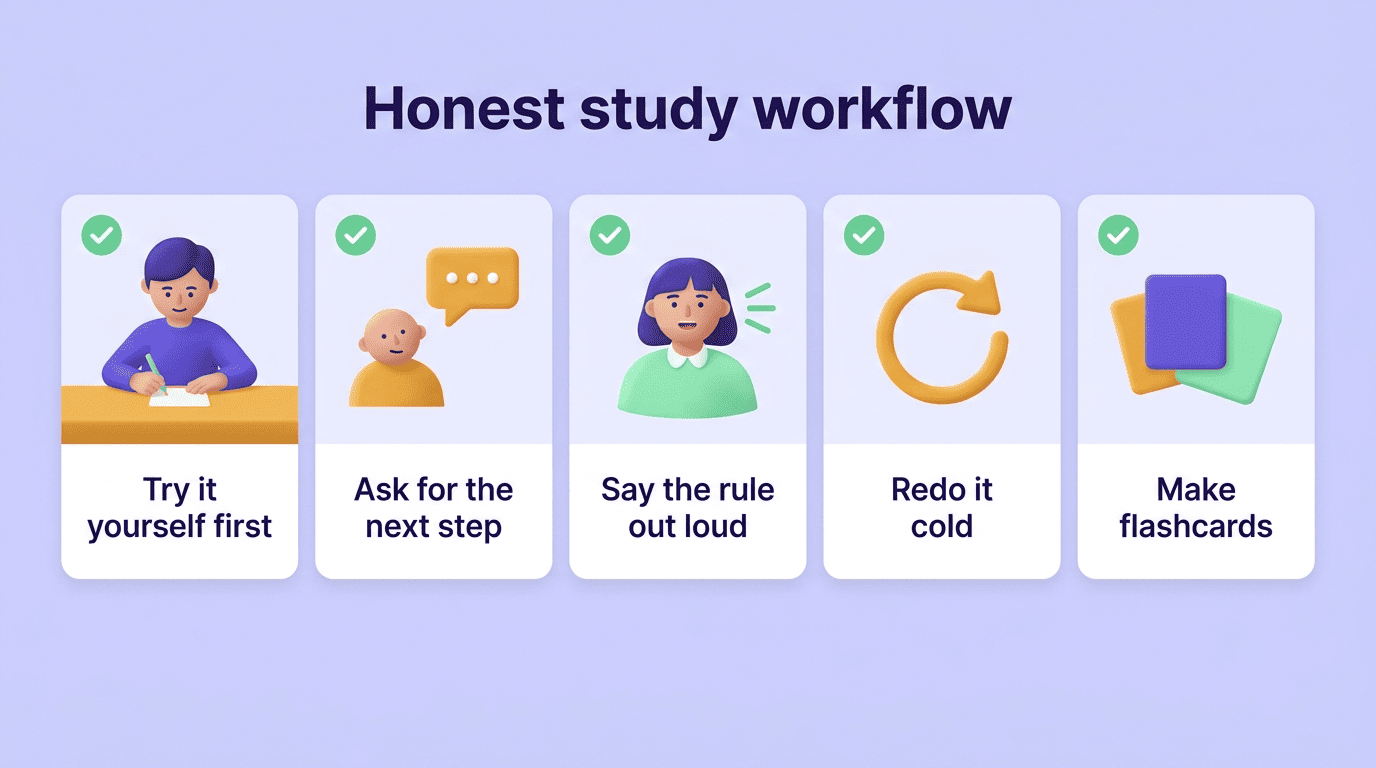
A simple sequence keeps an AI math tutor on the learning side of that line:
- Try the problem yourself first, even if you get stuck partway through
- Ask the solver for a hint or the next step, not the full solution
- Read the rule behind that step and say it out loud in your own words
- Re-do the entire problem cold, without looking at the solver
- Turn any step you missed into a flashcard or a quick practice quiz
This is where a study AI helper beats a bare answer engine — it can tutor, quiz, and explain, not just solve, so the fifth step actually happens instead of getting skipped.
Follow the rules of your class
Policies vary by teacher and by assignment type, so it’s worth checking rather than assuming:
- Many instructors allow AI math tools for homework and practice sets
- Fewer allow them on timed quizzes, tests, or exams
- Some require you to show work in a specific method regardless of what the AI produced
- When a syllabus doesn’t say either way, ask before you rely on one for graded work
How to get the most learning out of a solver
Use tutor or hint mode instead of full-answer mode. Most tools let you request just the next step rather than the whole worked solution — take that option every time you’re trying to learn rather than just finish.
Read every step and say the rule out loud. Naming the rule — «divide both sides,» «apply the chain rule» — is what moves it from the screen into memory.
Always verify the final answer. Plug the result back into the original equation or re-check the arithmetic by hand; this is the single habit that catches most solver mistakes before they become a wrong test answer.
Convert your mistakes into flashcards and practice questions. An AI study tool that combines solving with explaining, quizzing, and note-making does more for your grade over a semester than a one-shot answer ever will.